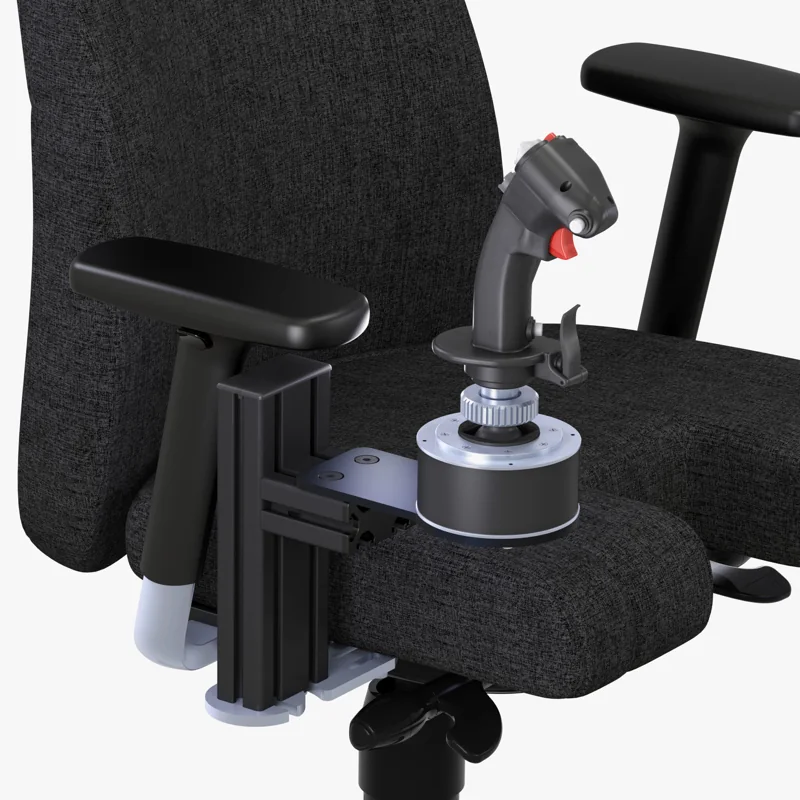
The MTSIM chair mount with a T.16000M plate suits standard sticks. Choose the Warthog plate for heavier gear, or the Anman X56 cockpit if you'd rather have a full seated frame than a mount alone.
A HOTAS chair mount fixes your flight stick, your throttle or both to your chair instead of your desk. It is the fix when your desk has no good edge to clamp. It also suits you if you'd rather your stick move with your chair. The four picks below cover two chair-mount weight classes, a desk-clamp option and a full seated frame, in case a mount alone won't do.
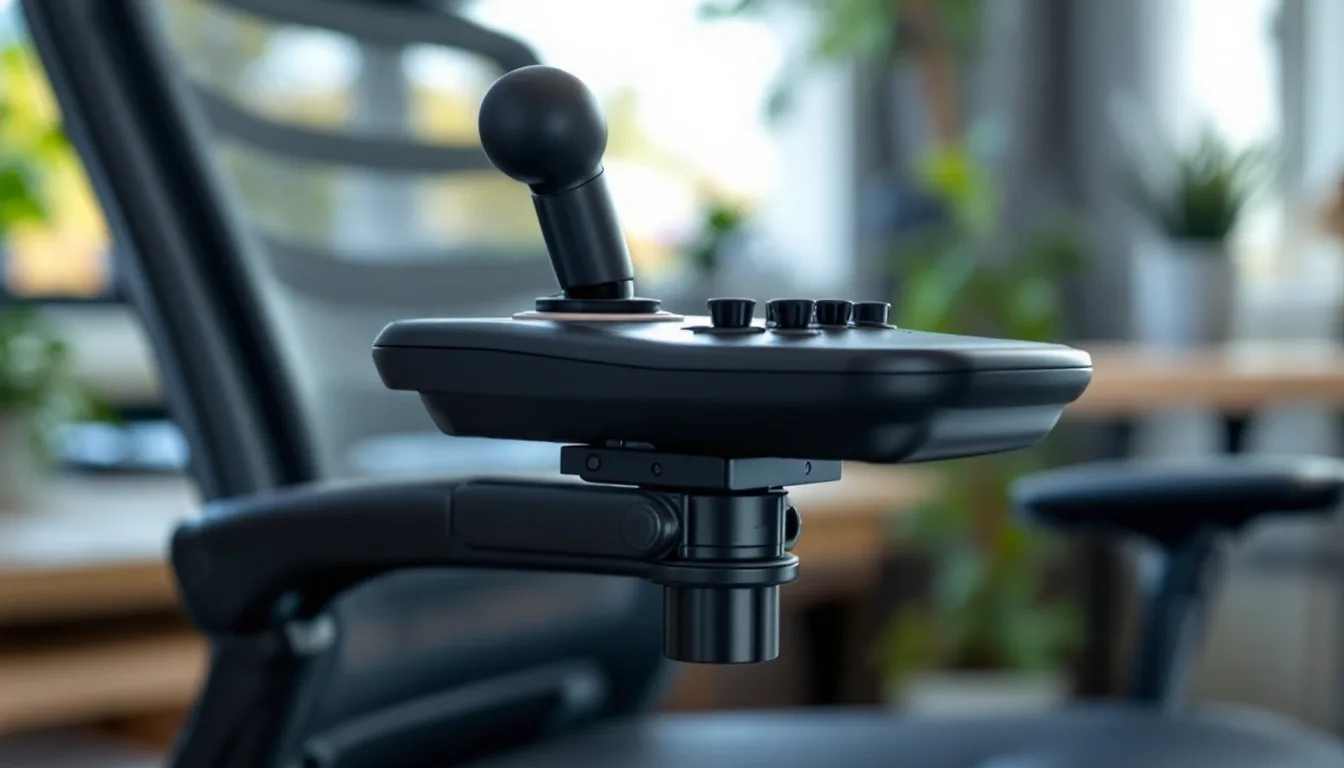
#1. MTSIM Joystick / HOTAS Chair Mount (T.16000M configuration): best chair mount for standard sticks
Keep in mind: each mount is sold individually; a stick and separate throttle need two mounts and matching controller plates.
MTSIM sells these aluminum chair mounts individually. For a T.16000M HOTAS, choose the T.16000M FCS stick plate and the TWCS throttle plate, one mount for each control. The mount anchors to the chair armrest attachment points; check the maker's chair attachment form before ordering. Height and distance can be adjusted to put the controls within reach.
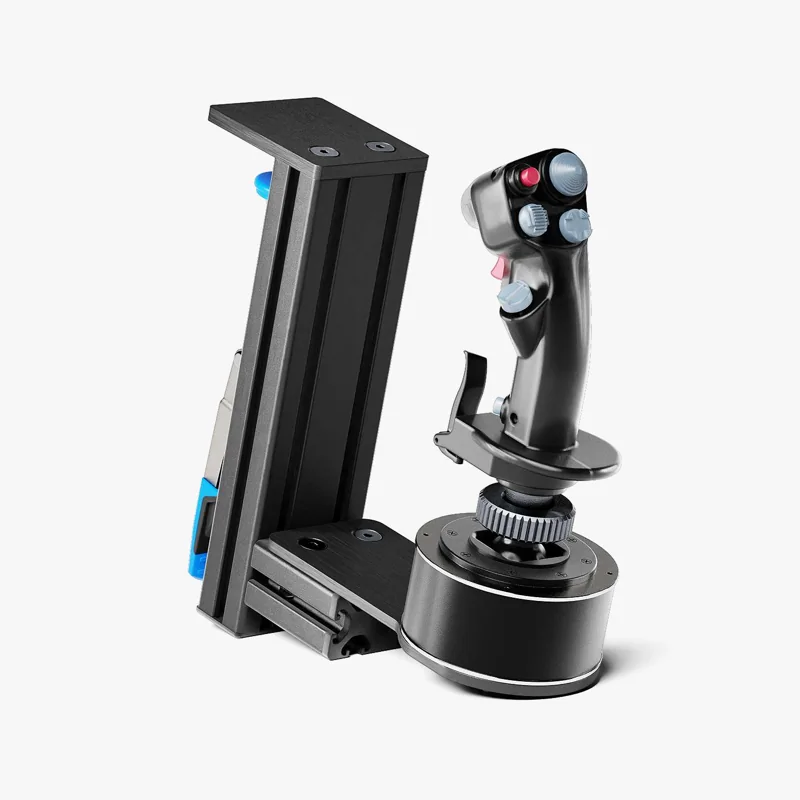
#2. MTSIM Joystick / HOTAS Chair Mount (Warthog configuration): best chair mount for heavy sticks
Keep in mind: it is still a chair-based mount, so it moves if your chair moves.
For a Warthog setup, select the Warthog joystick and throttle plates rather than a generic plate. Each control needs its own mount. The plates adjust in height and distance, and the chair attachment must match the receiving points of your armrests. The optional swivel and quick-release adapter helps when you need to move the controls away.
#3. MTSIM Joystick / HOTAS Desk Mount: best desk-clamp alternative to a chair mount
Keep in mind: it depends on your desk edge being within the mount's thickness range.
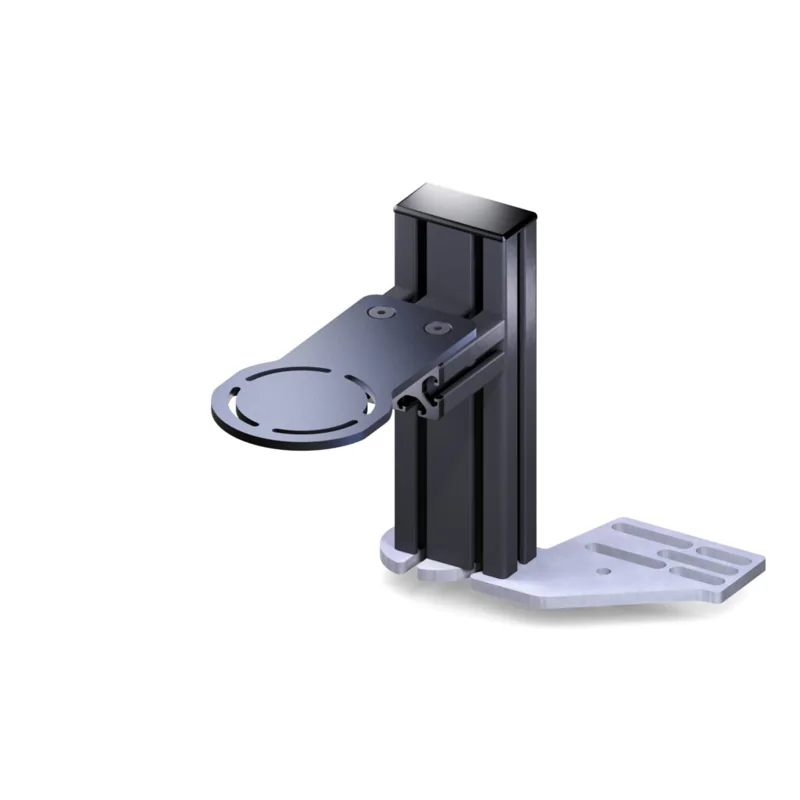
If your desk has a usable edge, this MTSIM mount clamps there instead of to the chair. Choose the mounting plate for your exact stick or throttle. MTSIM lists configurations for the X52 and X56 families, Thrustmaster T.16000M, TCA and Warthog controls. Each mount is sold separately, so a two-piece HOTAS needs two.
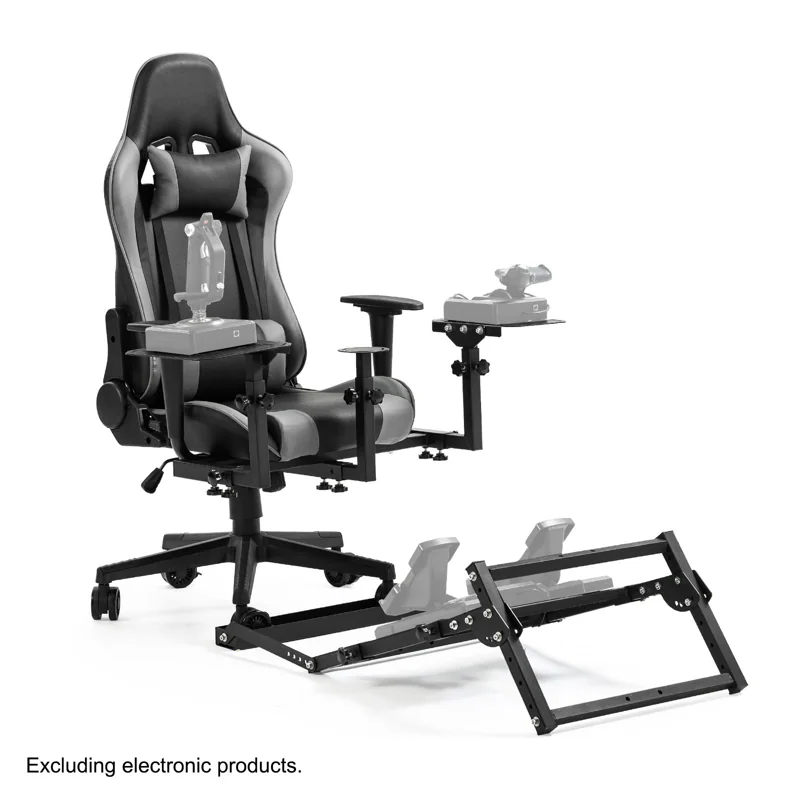
#4. Anman X56 Flight Simulator Cockpit: best upgrade from a mount to a full frame
Keep in mind: controls are not included, and it is a bigger floor-space commitment than any mount above.
Maybe a chair mount stops feeling steady enough. This frame's stick and pedal mounts adjust in height and reach. The seat back reclines from 90 to 180 degrees. It is the natural next step once you know you fly often enough to want a dedicated seat.
Factors to consider when choosing a hotas chair mount
Why people choose a chair mount over a desk mount
A desk mount is usually the more rigid choice when you have a solid desk edge to clamp. A chair mount solves a different problem. Some desks are too shallow for a clamp. Some pilots would rather the stick move with the chair than stay fixed to the monitor.
If your chair has a sturdy frame, a chair mount can hold a stick just as firmly as a desk clamp. The deciding factor is how your chair is built, not a rule that one type beats the other.
What actually matters when picking one
Clamp strength and adjustment range matter more than the brand name. A stick puts real leverage on its mount when you pull hard in a combat turn. That force is much more than the stick's weight at rest. So look for a sturdy clamp or screw fixing, and check for any rating the maker lists. MTSIM provides a desk-mount dimension drawing and controller-specific plate options.
Check the height and angle range too. MTSIM lets you adjust the mounting plate in height and distance. Its optional swivel and quick-release adapter is a separate add-on.
Check base compatibility before buying
Chair mounts are usually sold as universal fits rather than built for one stick. They list common bases like the Thrustmaster T.16000M family and the HOTAS Warthog. VKB's Gunfighter series and Logitech's X52 and X56 appear on the lists too.
Universal still means checking your stick's base size and hole pattern against the mount's plate. A mount built around a common base size can still be loose or wobbly on a stick with an unusual base.
Chair types that work best
A chair mount needs a solid base to attach to. The MTSIM chair mount uses the chair armrest receiving points and an attachment plate selected for the chair. Check its compatibility forms against your chair before ordering.
Chairs that tilt or rock also move the stick with them. Lock the tilt while you fly, or the stick will drift as your weight shifts. Do not assume an armless chair will fit; check the required attachment points and plate first.
One mount or two
If you run a full HOTAS with a separate throttle, most simmers mount both. One arm holds the stick and one holds the throttle, so neither hand works against a wobbly base. Some kits are sold in pairs for this reason. If your throttle is light enough to rest on your lap, you can skip mounting it. Just lock down the stick, which takes the most side force in flight.
Installing one without damaging your chair
Most chair mounts use screws or a tightened clamp, nothing glued. Tighten them evenly and don't overtighten against soft padding. Start snug, then tighten step by step while you check that the stick doesn't rock or twist under firm hand pressure.
A mount that feels tight at rest can loosen a little after your first real session. Recheck it after the first week of use.
Chair mount vs. a cockpit frame
A chair mount and a cockpit frame solve overlapping problems in different ways. A chair mount is cheaper and faster to install. It also moves with you if you switch rooms or chairs. That makes it a fair middle step once you want your HOTAS fixed in place but aren't ready to give up floor space to a rig.
A cockpit frame is more rigid and holds more gear at once. It suits someone who knows their control layout and flies often enough to want a setup that never needs re-clamping. If you are still testing which stick and throttle you'll keep, a chair mount is the smaller commitment. Move to a frame once your choices are settled. Our flight simulator cockpit guide covers frames.
Mistakes worth avoiding
Mounting the stick too far forward or too high is the most common mistake. It feels fine sitting still but strains your wrist within twenty minutes of real flying. Set the mount so your hand rests on the grip with your elbow close to your side. That is roughly where it would sit on an armrest.
The second common mistake is leaving the mount loose out of worry for the chair. A loose mount that shifts mid-turn is worse than a properly snug one. Tighten it firmly and evenly, and check for marks after the first session.
Who this guide is for
This guide is for someone who owns a HOTAS and is deciding how to fix it in place. It is not for someone still choosing a stick. If you are earlier in that choice, our HOTAS meaning guide and Elite Dangerous HOTAS roundup cover what the term means and which stick fits which kind of flying.
Verdict: which hotas chair mount to buy
For standard sticks, consider the MTSIM chair mount with the plate for your controller. Choose the Warthog configuration for Warthog hardware. Check the MTSIM desk mount first if your desk has a good edge to clamp. Move to the Anman X56 frame once a mount alone no longer feels steady enough for how often you fly. Check your chair first, then pick the mount that fits it.
FAQ
Is a chair mount better than a desk mount?
Not universally. It depends on your setup. A desk mount is usually more rigid since it clamps to a stable, load-bearing edge. A chair mount is the better choice when your desk does not have a clampable edge close enough to your hands, or when you want your HOTAS to move with your chair rather than staying fixed to the desk.
Will a chair mount fit any office or gaming chair?
Most are designed to clamp onto a chair's armrest or side frame, so the fit depends on your specific chair's arm shape and thickness. Check the mount's stated clamp range against your chair's armrest dimensions before buying.
Do I need two mounts, one for the stick and one for the throttle?
If you're running a full HOTAS with a separate throttle unit, yes. Most simmers mount both independently so each hand has a fixed, stable base. If your throttle is light and mostly rests on your lap anyway, a single mount for just the stick can be enough.
What if my stick is too heavy for a standard chair mount?
Look for a mount rated for heavier gear specifically, like a Warthog-class chair mount, rather than forcing a lighter-duty mount to hold more weight and leverage than it is rated for.