The best flight simulator hardware pick for most GA and airliner pilots is the Honeycomb Alpha yoke paired with the Bravo throttle quadrant. PC pilots on a tighter budget do well starting with the Thrustmaster T.16000M FCS HOTAS instead.
Flight simulator hardware breaks down into four control types. There is the yoke and throttle quadrant, and there is the HOTAS stick and throttle. Then come rudder pedals, and the frames or panels that hold everything in place. The eight picks below cover each type. That way you can build a setup piece by piece instead of guessing at one all-in-one box.
Most first-time buyers only need one main control plus pedals. Add a switch panel or a cockpit frame once you know your layout and fly often enough to want a permanent rig.
#1. Honeycomb Alpha Flight Controls: best yoke for GA and airliner flying
Keep in mind: it needs a separate throttle quadrant to make a complete setup.
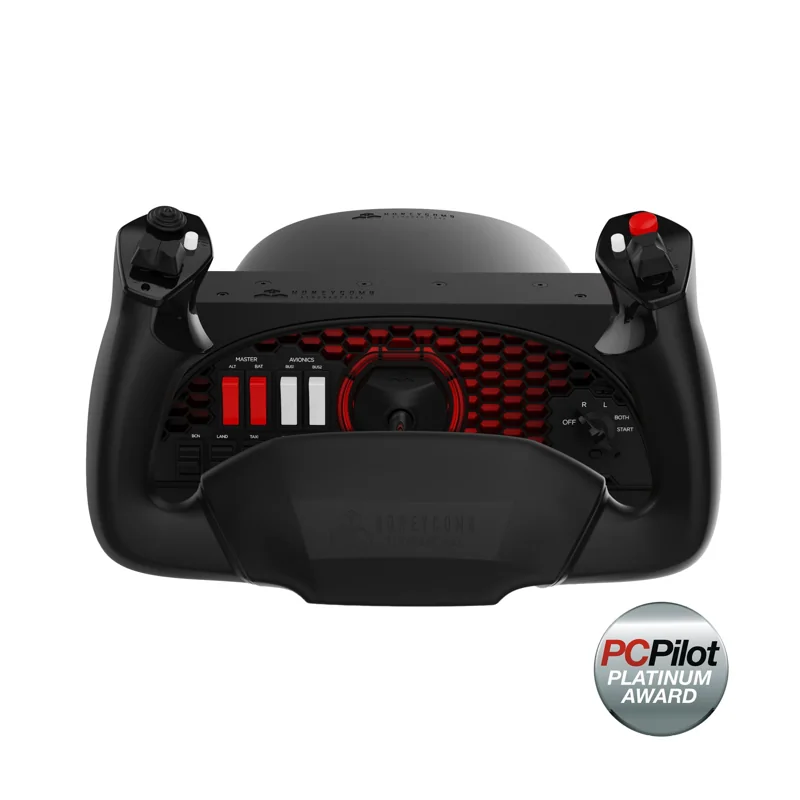
The Alpha turns 180 degrees on a steel shaft. A built-in switch panel covers the ignition switch, the main power and the light switches. It centers itself with no detent at center, which matches how a real small-plane yoke feels in cruise. Mount it with the clamps in the box, or with the suction pad if your desk edge won't take a clamp.
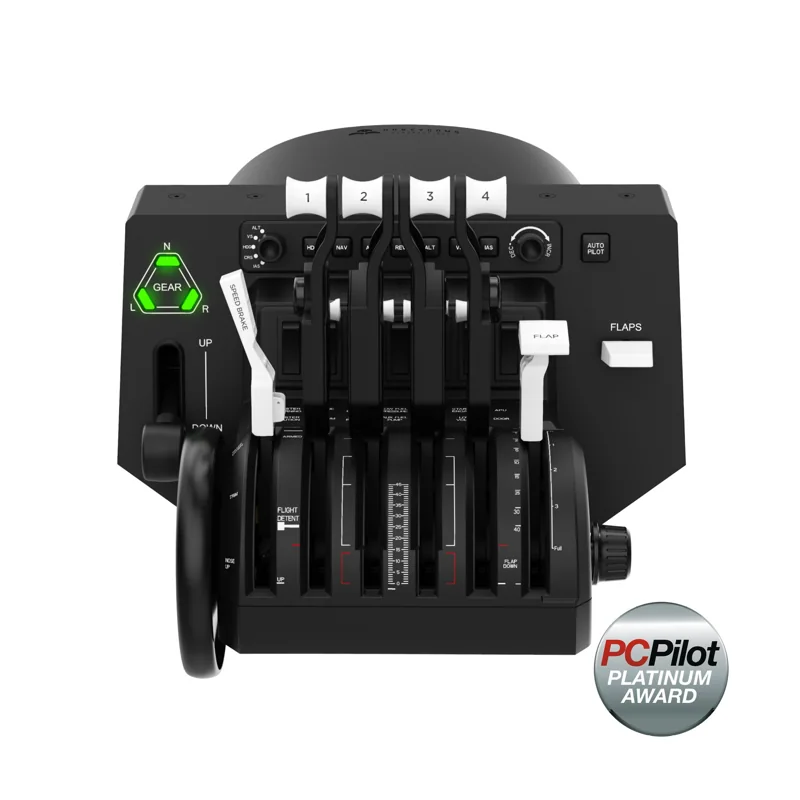
#2. Honeycomb Bravo Throttle Quadrant: best throttle for multi-engine aircraft
Keep in mind: it pairs best with a yoke, not with a center-stick HOTAS.
The Bravo's levers can be set up for one engine or for a full four-engine layout. It also builds in an autopilot panel, a gear lever, a flap lever and a trim wheel, so you don't shop for those pieces on their own. A 14-light warning panel adds lights that most standalone throttles skip.
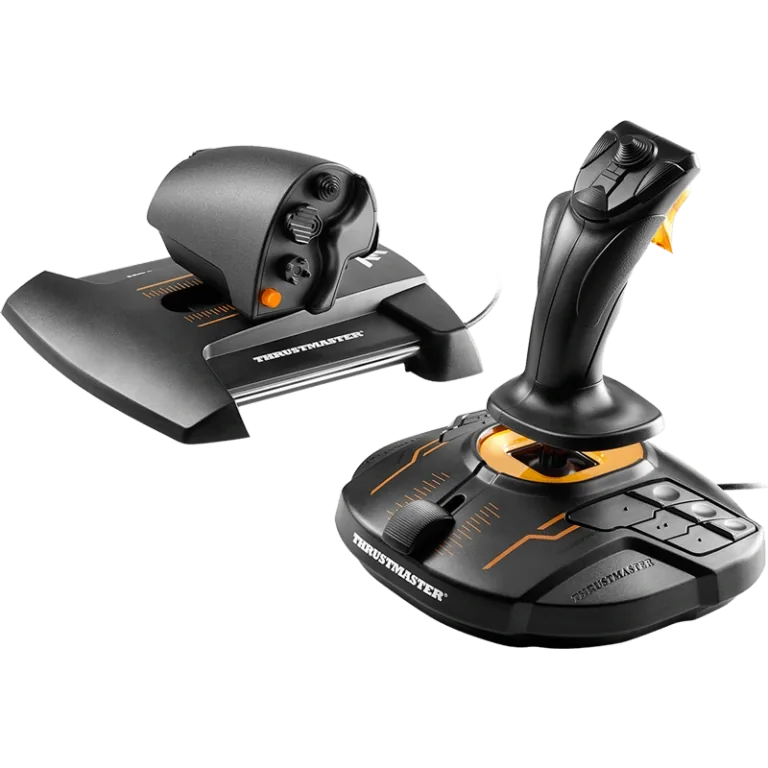
#3. Thrustmaster T.16000M FCS HOTAS: best budget HOTAS for PC
Keep in mind: the maker lists PC USB support; this is not a verified console option.
This set pairs the T.16000M stick with the TWCS throttle. The stick uses Hall-effect sensors, so its precision doesn't fade with wear. It has 16 buttons and a twist rudder. The throttle adds 14 more buttons, a slider and a small thumb stick. It is a practical way to get a full HOTAS pair in one purchase.
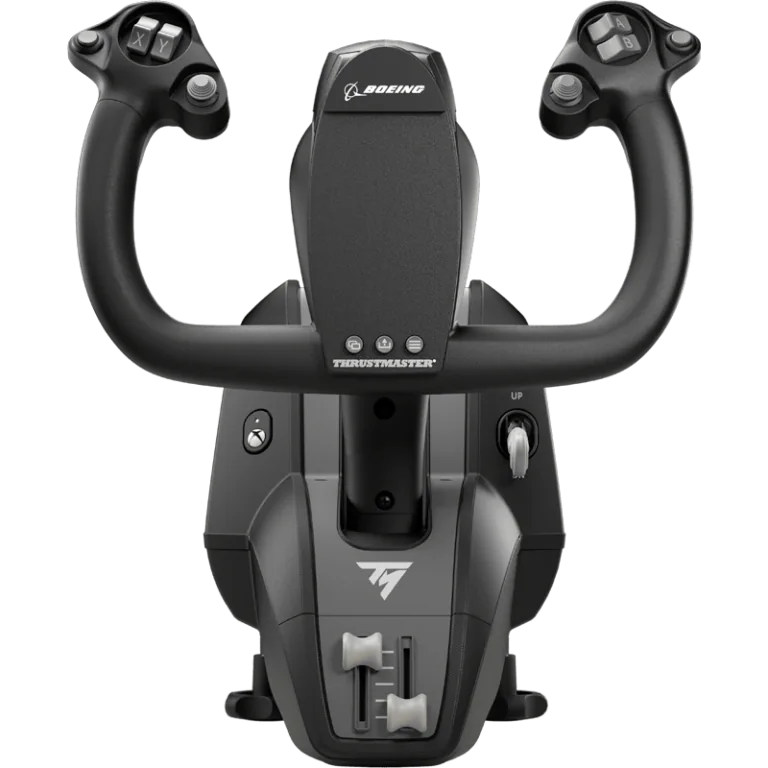
#4. Thrustmaster TCA Yoke Boeing Edition: best Xbox-compatible yoke
Keep in mind: it does not include a throttle quadrant, which is a separate purchase.
Boeing and Xbox both license this yoke. It uses a pendulum design modeled on the 787, with 8.3 inches of travel and spring tension you can adjust. The frame inside is metal, not plastic. It has 18 buttons for the functions a Boeing-style panel needs. It is one of the few yokes on this list that works on a console as well as a PC.
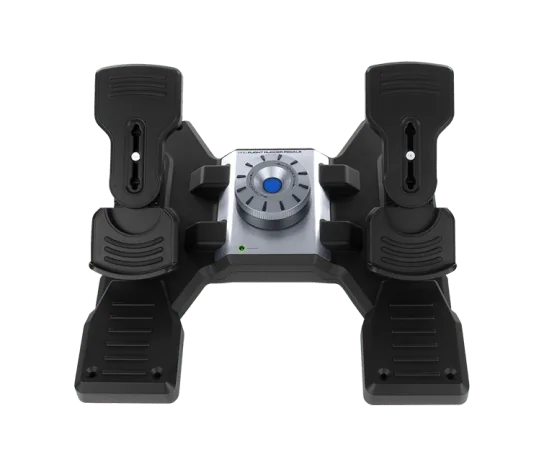
#5. Logitech G Pro Flight Rudder Pedals: best rudder pedals for PC
Keep in mind: the listed system requirements are for Windows, not verified console use.
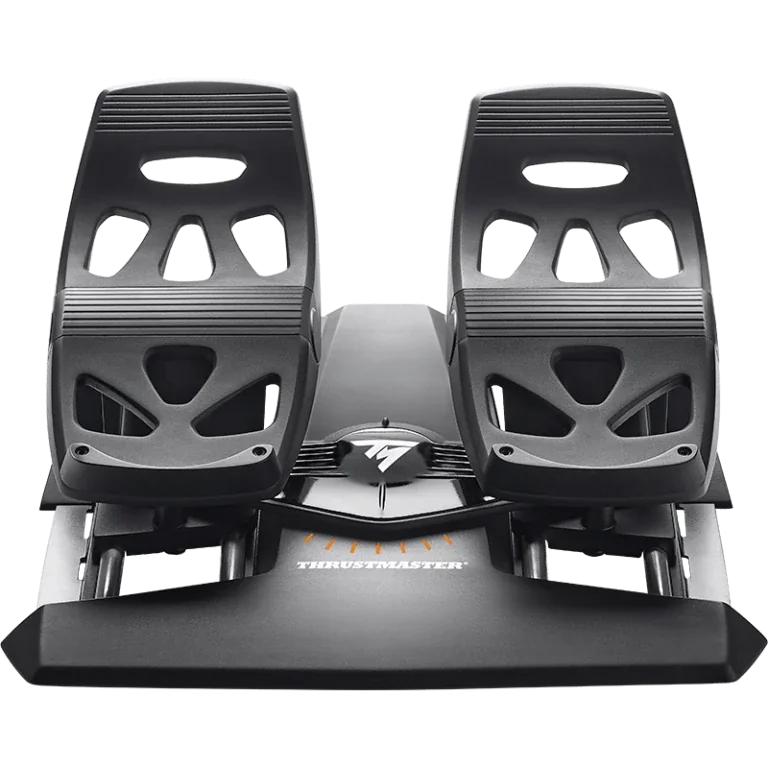
These pedals center themselves. A tension dial lets you set a light small-plane feel or a heavier airliner feel. Split toe brakes help with taxiing and rollout. They connect over USB, with no extra box to mount.
#6. Thrustmaster TFRP Rudder Pedals: best rudder pedals for PS5 and Xbox
Keep in mind: console use needs a supported Thrustmaster controller or yoke.
The TFRP connects by USB on PC. Console use needs a supported Thrustmaster control. The maker's current pairing list names the T.Flight HOTAS 5 and HOTAS 4 Microsoft Flight Simulator editions for PlayStation. Its Xbox list includes the T.Flight One Microsoft Flight Simulator Edition. Check the exact pairing list for your model; do not assume another edition has the same support. Four aluminum slide rails guide the self-centering rudder axis.
#7. Logitech G Pro Flight Switch Panel: best add-on panel for a growing setup
Keep in mind: it needs a Windows PC and works best stacked with Logitech's other flight panels.
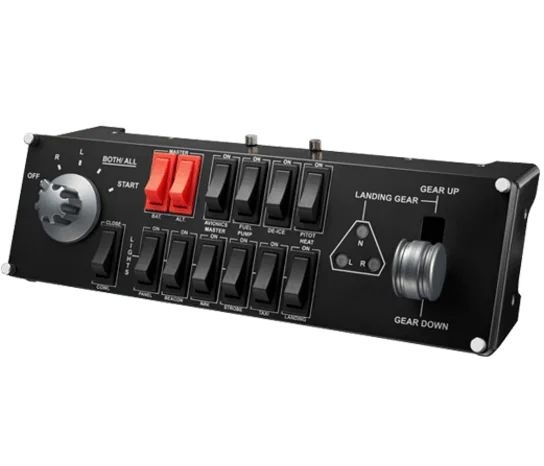
This panel adds a landing gear lever with status LEDs. It also adds engine-start and other cockpit switches. It is built to stack with Logitech's other Pro Flight panels, or sit beside them. It is a natural second or third buy once your main stick or yoke is settled. Our flight sim panels roundup covers the full set.
#8. Next Level Racing Flight Simulator: best cockpit frame to grow into
Keep in mind: it does not include any stick, yoke, throttle or pedals.
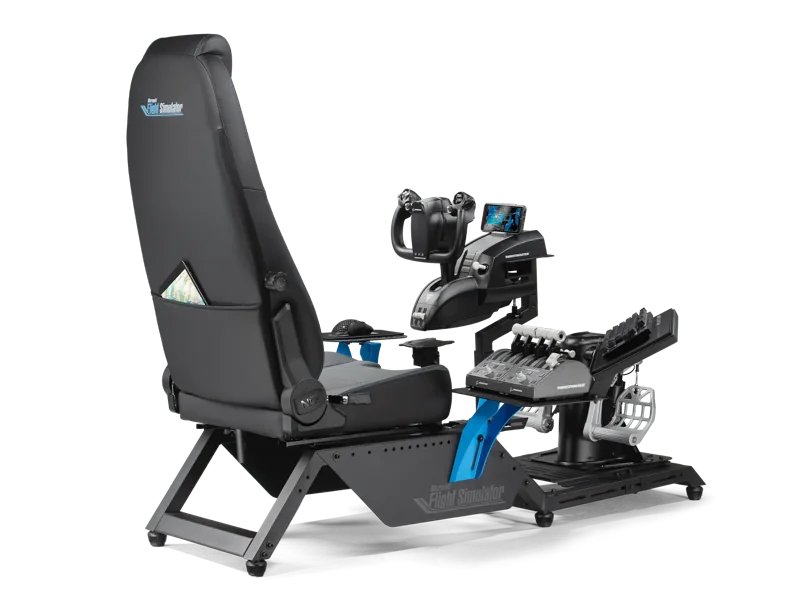
Microsoft Flight Simulator licenses this frame. It gives you a seat with adjustable lumbar support. Its mounting patterns fit yokes and sticks from the major brands, plus their throttles. It is the right move once you know which controls you are keeping. It is not a first purchase.
Factors to consider when choosing flight simulator hardware
Match hardware to what you fly
A HOTAS suits fighter jets and combat sims, with the stick under one hand and the throttle under the other. A yoke and throttle quadrant suits airliners and most small trainers. Those planes use a wheel instead of a center stick. If you fly a mix of both, keep a HOTAS as your main rig and add a yoke later. Don't buy both on day one.
Falcon 4.0 linked campaign plans to F-16 missions. Read our brief history.
Check console compatibility before you buy
Start with the maker's page for the exact model and edition. Some controls work on PC and Xbox; others need a compatible base or adapter. A USB plug or Windows driver does not establish console support.
If the maker does not name your platform, treat support as unconfirmed. Read the console, simulator version and required connections as separate checks. Then use the maker's current setup notes before buying.
Rudder pedals are the most skipped, most useful add-on
New simmers often skip pedals and steer the rudder with a twist stick. That works. It becomes a real compromise once you fly planes where the rudder matters on the ground or in a crosswind.
Taildraggers, most warbirds and many small trainers fall in that group. Pedals are usually the first add-on worth buying after your main stick or yoke. Our rudder pedals roundup compares six sets.
Cockpit frames are a later-stage purchase
A frame holds your stick, throttle and pedals, and often a second monitor. It is worth it once you know your control layout and fly often enough to want a permanent setup. It is rarely the right first buy. You want to confirm your stick and throttle before you build a frame around them.
Check a model before you choose
Use the flight-sim compatibility reference to compare manufacturer-stated platform, simulator-version and connection details for the exact model. Unknown fields stay unknown, so check the linked maker page before buying.
Buy flight simulator hardware to match what you fly. Get a yoke and throttle for small planes and airliners, or a HOTAS for fighters and combat sims. Add rudder pedals once that main control is settled. Treat panels and a cockpit frame as later purchases, once you know your layout won't change again soon.
FAQ
Do I need a HOTAS, a yoke, or both?
Pick based on what you fly most. Fighter jets and general combat sims are built around HOTAS. Airliners and most GA trainers are flown with a yoke in real life, so a yoke feels more natural for that category. Plenty of simmers eventually own both and swap depending on the aircraft.
Will my PC flight-sim hardware work on Xbox?
PC support alone does not establish Xbox support. Check the maker's current page for the exact model and edition, the Xbox version it names, and any required controller, base or adapter. If Xbox is not listed, treat support as unconfirmed rather than assuming that all products from the same brand behave alike.
Do rudder pedals actually matter?
Yes, for realism and for any aircraft with meaningful rudder authority on takeoff, landing or crosswind work. You can fly without them using twist-stick yaw or paddle inputs, but pedals give finer control and are close to essential once you fly taildraggers or warbirds.
Do I need a cockpit frame right away?
No. A desk clamp holding your stick, yoke or throttle does the same mechanical job when you are starting out. A frame is worth adding once you already know your control layout and fly often enough to want a permanent, seated setup.