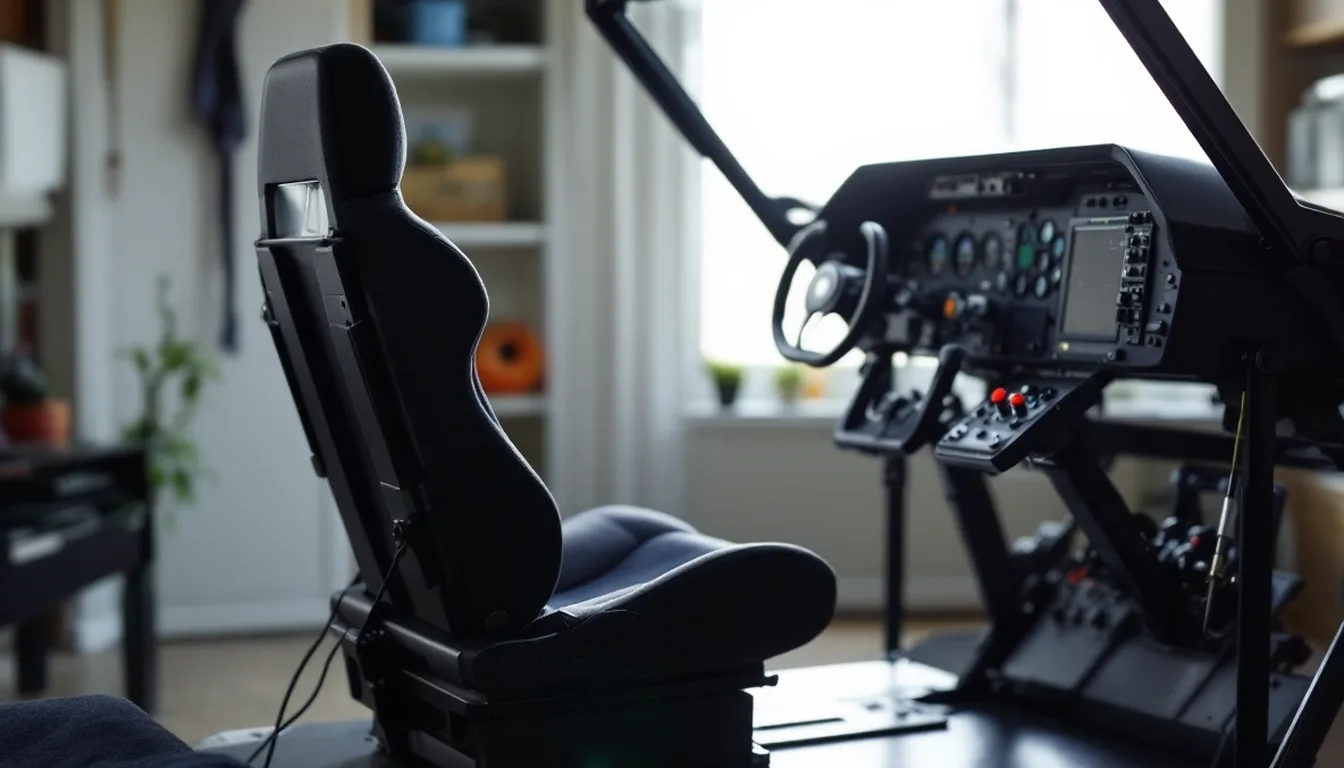
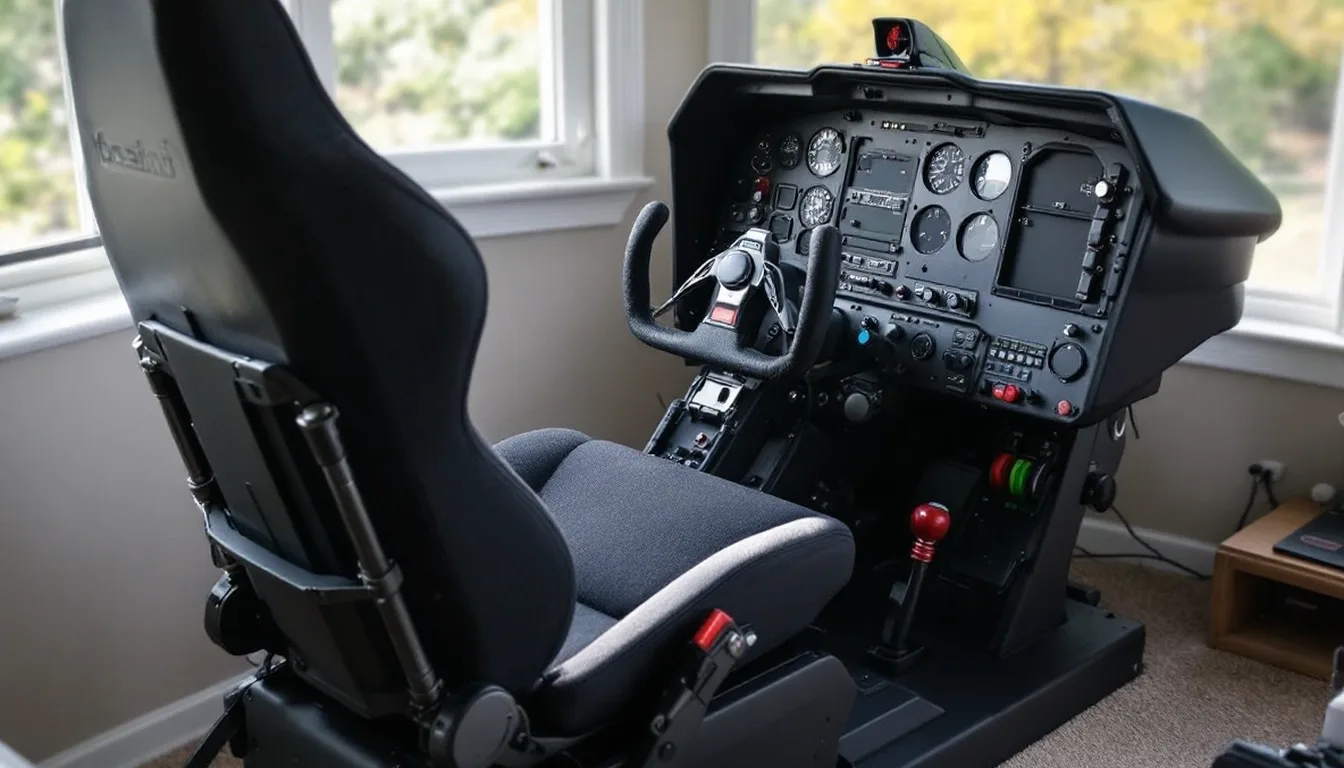
Most people don't need a full cockpit frame to start. Try the MTSIM chair mount or desk mount on your existing stick and throttle first, then move to a Next Level Racing frame once you know you'll use it weekly.
A flight simulator cockpit is any fixed setup that holds your controls in the same spot every time. It can be a chair-mounted arm for gear you already own. It can also be a full seated rig with its own seat. The six picks below cover that whole range, from the cheapest to the most complete.
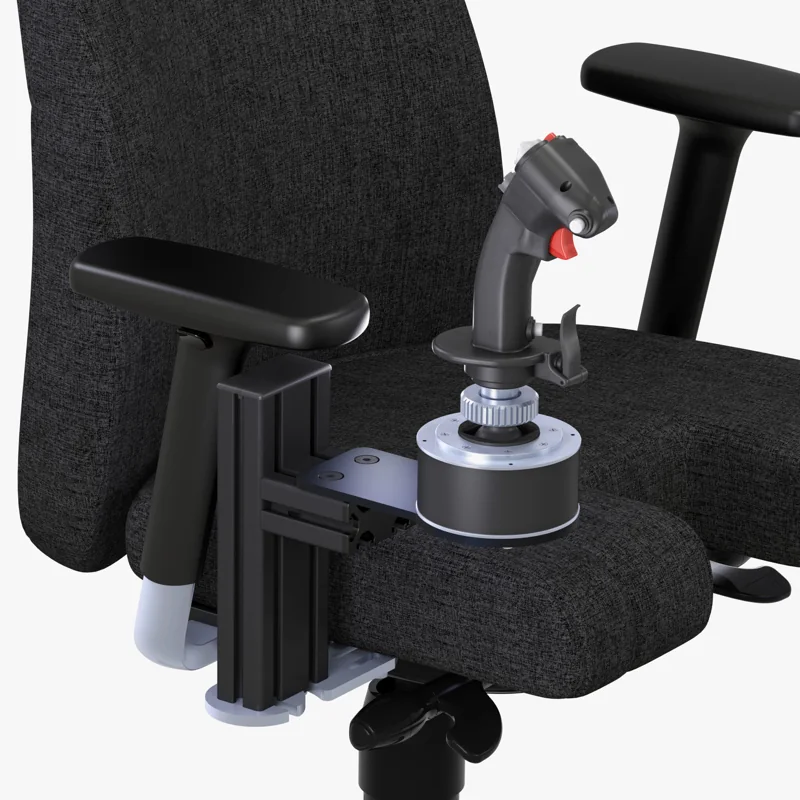
#1. MTSIM Joystick / HOTAS Chair Mount (T.16000M configuration): best chair-mounted cockpit starting point
Keep in mind: each mount is sold individually; a stick and separate throttle need two mounts and matching controller plates.
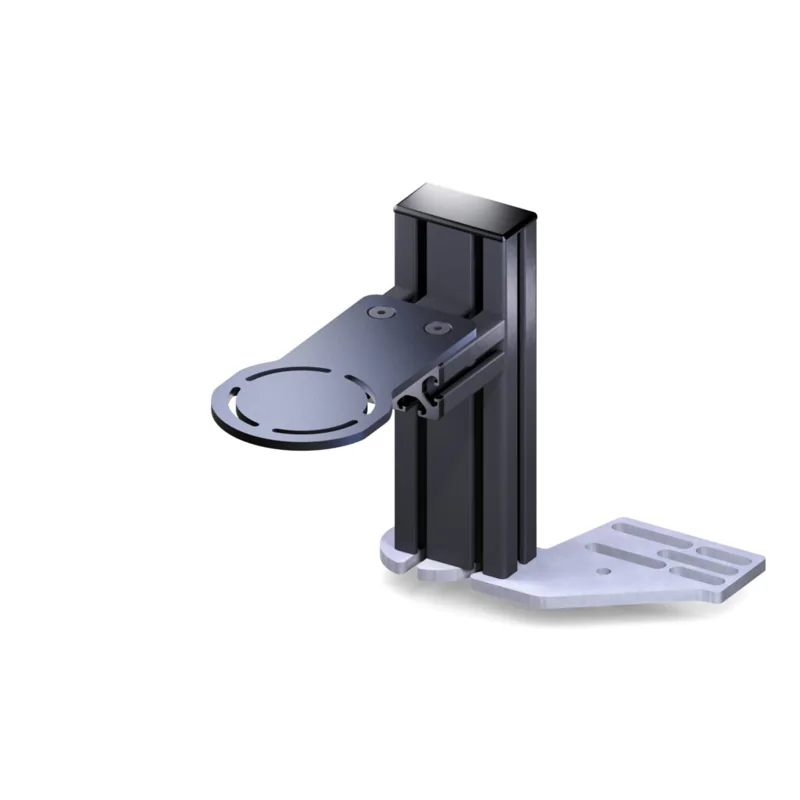
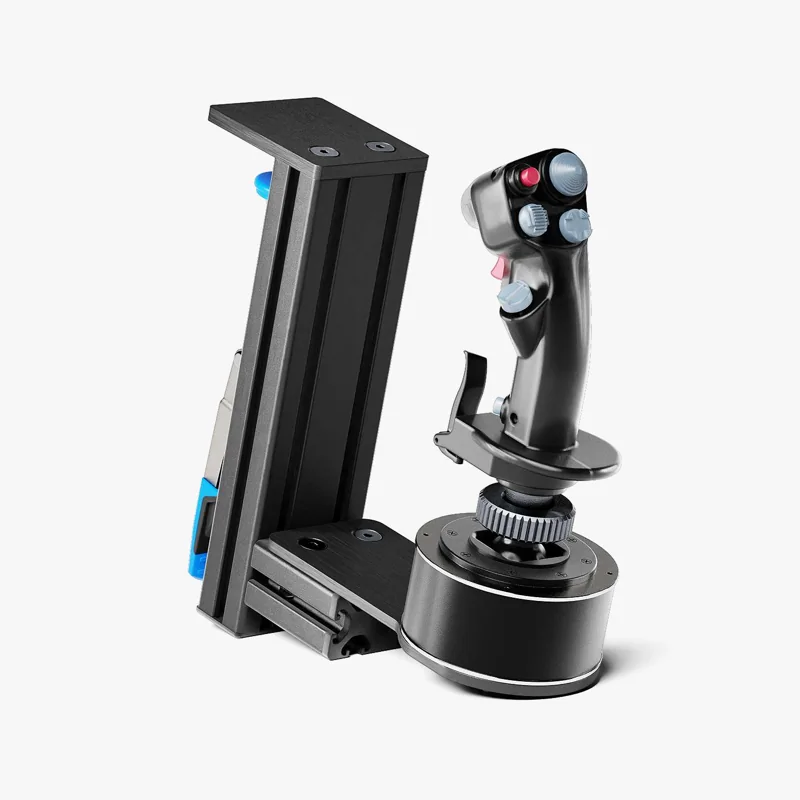
MTSIM sells these aluminum chair mounts individually. For a T.16000M HOTAS, choose the T.16000M FCS stick plate and the TWCS throttle plate, one mount for each control. The mount anchors to the chair armrest attachment points; check the maker's chair attachment form before ordering. Height and distance can be adjusted to put the controls within reach.
#2. MTSIM Joystick / HOTAS Chair Mount (Warthog configuration): best chair mount for heavier sticks
Keep in mind: it still attaches to a chair rather than a fixed frame, so it moves if your chair moves.
For a Warthog setup, choose the Warthog joystick and throttle plates, one mount for each control. The plates adjust in height and distance. Confirm your chair's attachment form before ordering; the chair and controllers are not included.
#3. MTSIM Joystick / HOTAS Desk Mount: best desk-clamp mount before you buy a frame
Keep in mind: it depends on your desk edge being thin enough to clamp.
This MTSIM mount clamps to a desk edge. Select a mounting plate for your exact control: options cover Logitech X52 and X56 families and Thrustmaster T.16000M, TCA and Warthog controls. Each mount is sold individually; a stick and separate throttle need two. Check the desk edge against the maker's dimensions before buying.
#4. Next Level Racing Flight Simulator (MSFS Edition): best full seated cockpit frame
Keep in mind: it does not include any stick, yoke, throttle or pedals.
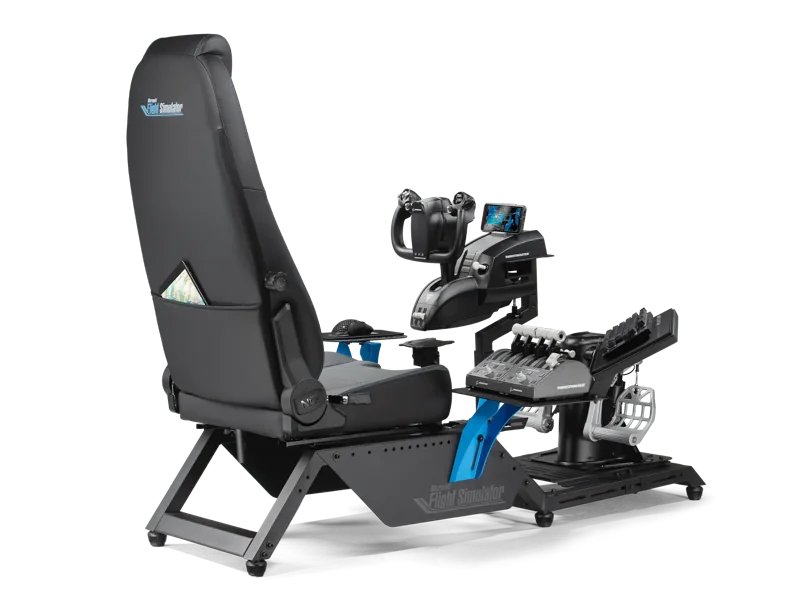
Microsoft Flight Simulator licenses this frame. It includes a seat with adjustable lumbar support. Its mounting patterns fit yokes and sticks from the major brands, plus their throttles. It is the step up once a chair or desk mount no longer feels steady enough for regular flying.
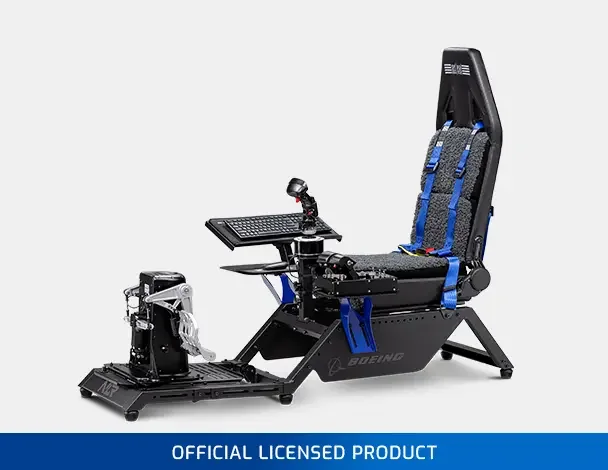
#5. Next Level Racing Flight Simulator Cockpit (Boeing Commercial Edition): best licensed airliner-themed frame
Keep in mind: it is still a frame only, with the same broad brand-fit mounting as the standard model.
This version carries Boeing's license and blue trim. It has the same wide range of seat and mount adjustment as Next Level Racing's other frames. It fits yokes and sticks from the major brands, as well as their pedals and throttles.
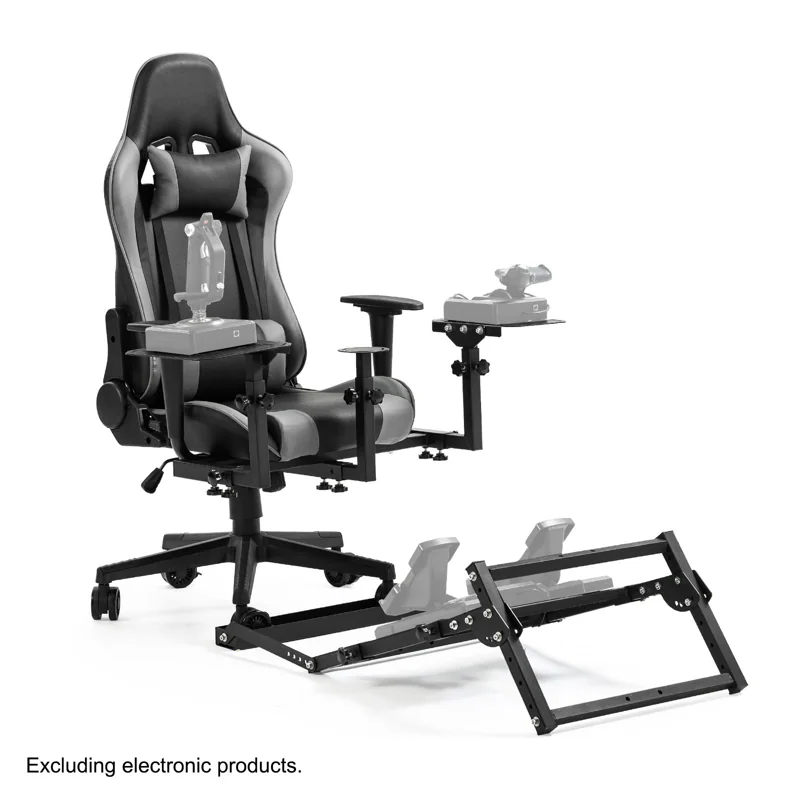
#6. Anman X56 Flight Simulator Cockpit: best budget seated frame with joystick and pedal mounts
Keep in mind: controls are not included, and it is a simpler frame than the Next Level Racing lineup.
The Anman frame has mounts for a stick, a HOTAS and pedals, and each adjusts in height and reach. The seat back reclines from 90 to 180 degrees. It is a lower-cost way into a seated frame.
Factors to consider when choosing a flight simulator cockpit
Start by asking how often you'll actually sit down
The biggest mistake in this hobby is buying a full cockpit before you know you'll fly enough to justify it. A permanent rig eats floor space. If you fly a few times a month, a chair or desk mount for your current stick or throttle does the job.
Maybe you fly most days and keep fighting a cramped layout on your desk chair. That is the real signal to move up a tier. A sale or a new product launch is not.
Tier one: mount what you already have
Before you buy any frame, check whether your current stick, throttle or yoke can clamp to your desk or chair. This tier costs the least and uses no extra floor space. It also teaches you a lot about how your control layout should be shaped before you commit to a frame.
Tier two: full seated cockpits
A full cockpit ships as one frame with a seat built in. It is not a bare structure that you dress with separate mounts. Next Level Racing's Flight Simulator line and the Anman X56 are both examples. Each has an adjustable seat and mounting points, and each takes gear from the major brands rather than one maker. This tier is the right call once you fly often enough that a fixed seat, rather than your desk chair, makes your sessions better.
Check compatibility before the frame, not after
Every tier above depends on one thing: your gear actually mounting to the frame or clamp you buy. Check the exact model of each control against the frame's stated fit list before you order anything.
Common mistakes at each tier
At the chair or desk mount tier, the usual mistake is a mount that doesn't match your chair's shape or your desk's edge. The stick then wobbles under load instead of staying locked in place.
At the full frame tier, the mistake is skipping the stated height and weight range. A seat or arm reach that works for one body size can feel wrong for another. If you are well outside an average height or build, check each frame's published fit range before you order. Look for a model with a wide range of adjustment.
Assembly and floor space, honestly
Every tier above the chair or desk mount needs real assembly time and tools. Modular frames and full cockpits both ship flat-packed as parts, not as ready-made furniture. Set aside a few hours for the first build. Plan to recheck the bolts after your first few sessions.
Verdict: which flight simulator cockpit setup to buy
For most people, the first flight simulator cockpit should be a chair or desk mount for the stick and throttle you already own. Move up to a Next Level Racing or Anman seated frame only once you know you'll use it every week. By then you'll also know exactly which controls you are keeping.
No. A chair or desk mount holding your stick or yoke does the same job mechanically. It just does not give you a fixed seat position or a rudder pedal plate. Plenty of long-time simmers fly from a mounted setup for years.
What's the difference between a cockpit kit and a full cockpit?
A cockpit kit is usually a frame you build up piece by piece. A full cockpit, like Next Level Racing's Flight Simulator line, ships as one unit with a seat already built in.
How much space does a flight sim cockpit actually need?
Plan for roughly 1.5m by 1m of floor space for a seated frame, plus clearance behind it to sit down and stand up.
Can I upgrade a desk or chair mount into a full cockpit later?
Yes, and it is the normal path. Your stick, throttle, yoke or pedals move over to the new frame as long as the frame's mounts support your brand.