The Honeycomb Alpha is the strongest all-around flight sim yoke for PC and Mac, the Thrustmaster TCA Yoke Boeing Edition is the pick if you fly on Xbox, and the Logitech G Pro Flight Yoke System is the best choice if you want a throttle quadrant included in the box.
A flight sim yoke copies the wheel used in real airliners and most small trainers. Pull back to climb, push forward to descend and turn the wheel to bank. It is the right pick if you fly that type of aircraft, where a HOTAS's fighter-style center stick would feel wrong in your hands. Here are five yoke options across PC, Mac and Xbox.
#1. Honeycomb Alpha Flight Controls: best overall flight sim yoke
Keep in mind: it has no throttle levers of its own, so complex aircraft need a separate throttle quadrant.
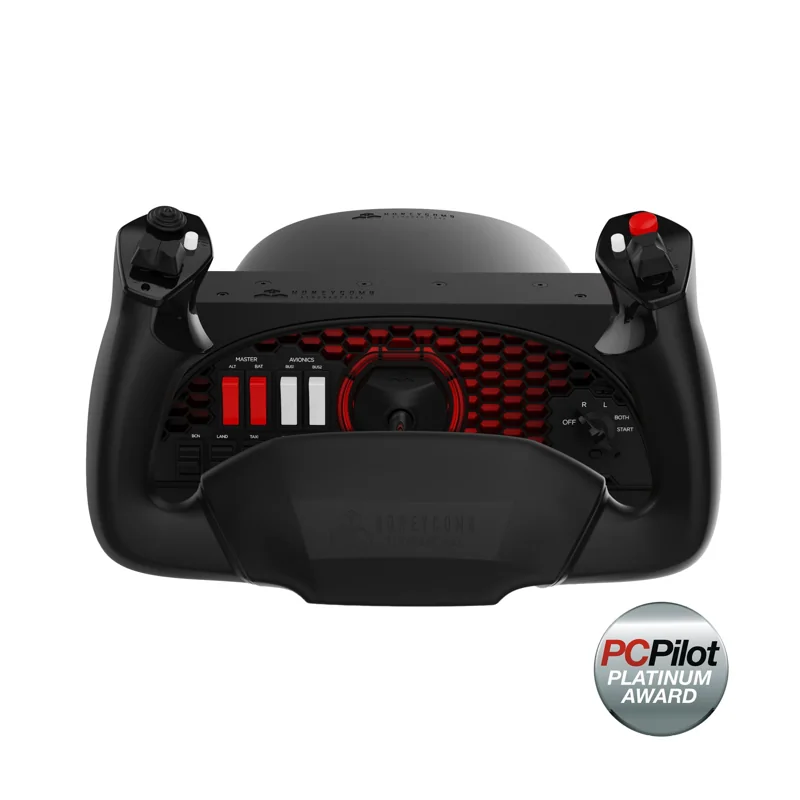
The Alpha turns 180 degrees on a steel shaft. It centers itself, with no detent at center. A built-in switch panel has a 5-way ignition switch with red backlighting for night flying. It mounts with clamps or a suction pad and connects to a PC or Mac over USB. Pair it with the Honeycomb Bravo for throttle, flap and gear levers.
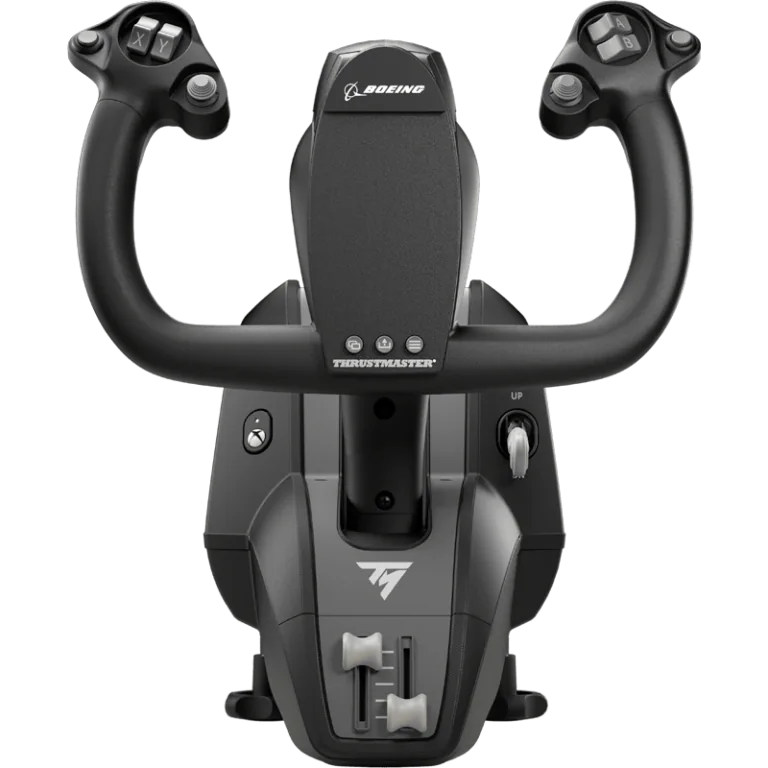
#2. Thrustmaster TCA Yoke Boeing Edition: best licensed yoke for Xbox
Keep in mind: it is a yoke on its own, so flaps and reverse thrust need a separate throttle quadrant.
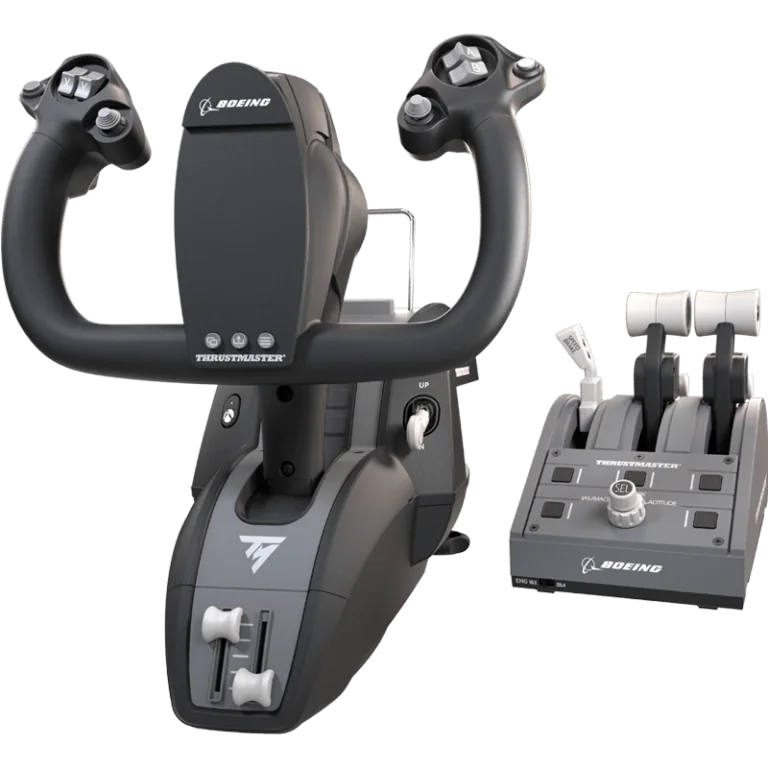
Boeing and Xbox both license this yoke. Its pendulum design is modeled on the feel of the 787's yoke. It has 8.3 inches of travel and spring tension you can adjust. The frame inside is metal, and it has 18 buttons. It works on Xbox and PC.
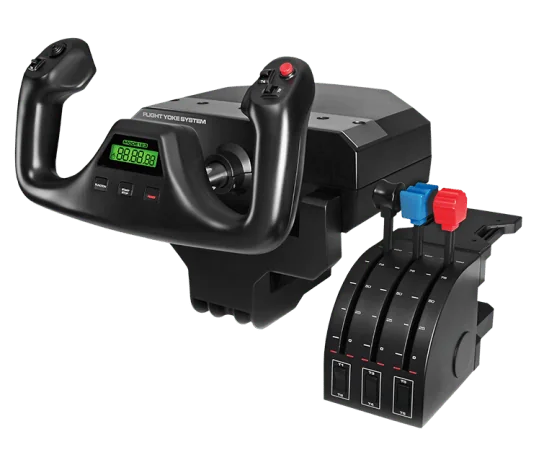
#3. Logitech G Pro Flight Yoke System: best yoke with a throttle quadrant included
Keep in mind: it is Windows PC only, with no Mac or console support.
This system ships with a three-lever throttle quadrant in the same box as the yoke. The yoke has a stainless steel shaft, 14 buttons, a POV hat and a 3-way mode switch. Two desk clamps come in the box. It runs on Windows PC.
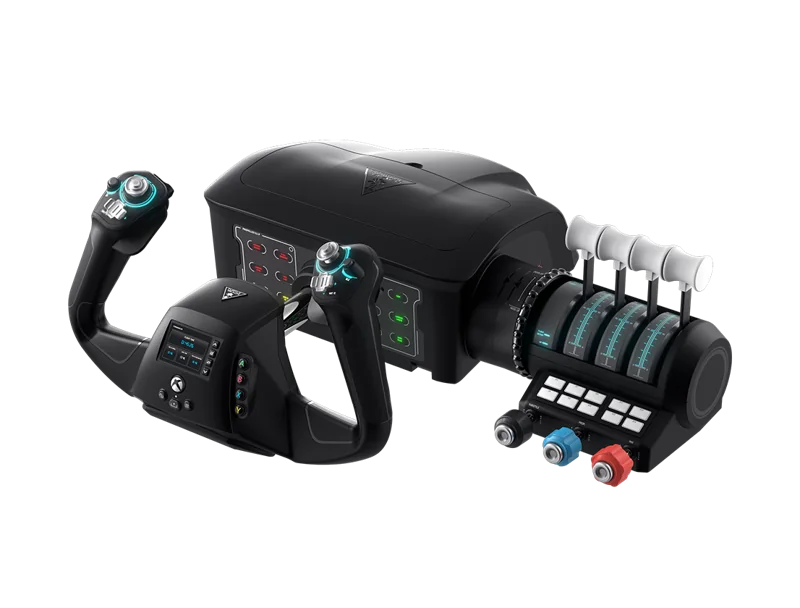
#4. Turtle Beach VelocityOne Flight: best all-in-one yoke and throttle for Xbox
Keep in mind: it is a fixed all-in-one system rather than separate parts you can mix with other brands.
The VelocityOne Flight puts a yoke, a throttle quadrant and a trim wheel in one unit. The yoke turns 180 degrees, read by a Hall-effect sensor. Rudder and brake controls are built into the unit itself. It works on Xbox Series X|S, Xbox One and Windows PC.
#5. Thrustmaster TCA Yoke Pack Boeing Edition: best yoke and throttle bundle for Xbox and PC
Keep in mind: it costs more than the standalone TCA Yoke, since it includes a second unit.
This pack pairs the TCA Boeing yoke with a matching Boeing-style throttle quadrant. The quadrant adds autopilot controls, for 35 buttons across the two units. The yoke keeps the same 8.3 inches of pendulum travel as the standalone version. It works on Xbox and PC.
Factors to consider when choosing a flight sim yoke
Why a yoke feels different from a HOTAS
The core difference is the motion, not just the shape. A yoke's wheel turns and pushes or pulls, much like a real Cessna or Boeing airliner. A HOTAS uses a center stick instead, closer to a fighter jet's layout. If you mostly fly small trainers or airliners in MSFS or X-Plane, a yoke will feel more natural than any HOTAS, however well built the stick is.
Pairing a yoke with a throttle
Standalone yokes handle throttle in different ways. The Honeycomb Alpha has no levers of its own. A separate quadrant gives you the physical levers needed for throttle plus prop and mixture, or a lever for each engine.
If you fly planes complex enough to need those as real controls, pair your yoke with a throttle quadrant, such as the Honeycomb Bravo. The Logitech and Thrustmaster packs above solve this by putting a matching quadrant in the same box. Our flight sim throttle roundup covers more options.
Console compatibility is a separate question
Most standalone PC and Mac yokes aren't licensed for Xbox or PS5. For console play, you need a yoke built and licensed for that platform. The Thrustmaster TCA Yoke Boeing Edition and the Turtle Beach VelocityOne Flight are two examples. Don't assume a well-built PC yoke will connect.
Desk fit and travel
A yoke needs room to move. Most clamp to the front edge of the desk, and the shaft slides toward you and away. Check that your desk edge fits the clamps. Leave space behind the yoke for its full travel, and keep a keyboard tray clear of it. Pendulum yokes like the TCA hang their mechanism below the unit, so check for clearance under the desk too.
Verdict: the best flight sim yoke depends on your platform and aircraft
On PC or Mac, the Honeycomb Alpha is the strongest overall flight sim yoke for realism and build quality. On Xbox, the Thrustmaster TCA Yoke Boeing Edition is the licensed pick. The TCA Yoke Pack is worth the extra cost if you also need a matching throttle quadrant. Want a throttle quadrant bundled in from the start on PC? The Logitech G Pro Flight Yoke System covers both in one purchase.
FAQ
Is a flight sim yoke better than a HOTAS?
Neither is universally better. They suit different aircraft. A yoke matches airliners and most GA trainers, which use a wheel-style control in real life. A HOTAS matches fighters and combat aircraft, which use a center stick.
Do I need a separate throttle with a flight sim yoke?
Most standalone yokes include basic throttle-style levers built into the unit itself, but a dedicated throttle quadrant adds separate physical levers for flaps, gear, spoilers, and reverse thrust that a yoke alone does not provide.
Can I use a PC flight sim yoke on Xbox?
No, unless it is explicitly licensed for Xbox. Standalone PC and Mac yokes will not connect to an Xbox console. The Thrustmaster TCA Yoke Boeing Edition is a current example of a yoke that is Xbox-licensed.
What is the difference between the Thrustmaster TCA Yoke and the TCA Yoke Pack?
The standalone TCA Yoke Boeing Edition is the yoke on its own. The TCA Yoke Pack adds a matching Boeing-style throttle quadrant with autopilot controls, for 35 buttons combined across the two units.