Pick a compact single-lever throttle like the Thrustmaster Sol-R 6 if you fly mostly single-engine aircraft. Pick a full quadrant like the Honeycomb Bravo or Logitech Pro Flight Throttle Quadrant if you fly a mix of GA and airliner aircraft and want dedicated levers for flaps, gear, and autopilot.
A flight sim throttle controls engine power. The fuller units below do a lot more. They can handle flaps and gear, plus spoilers and detents for idle and afterburner. The right pick depends mostly on how many separate engine and system controls your plane really has.
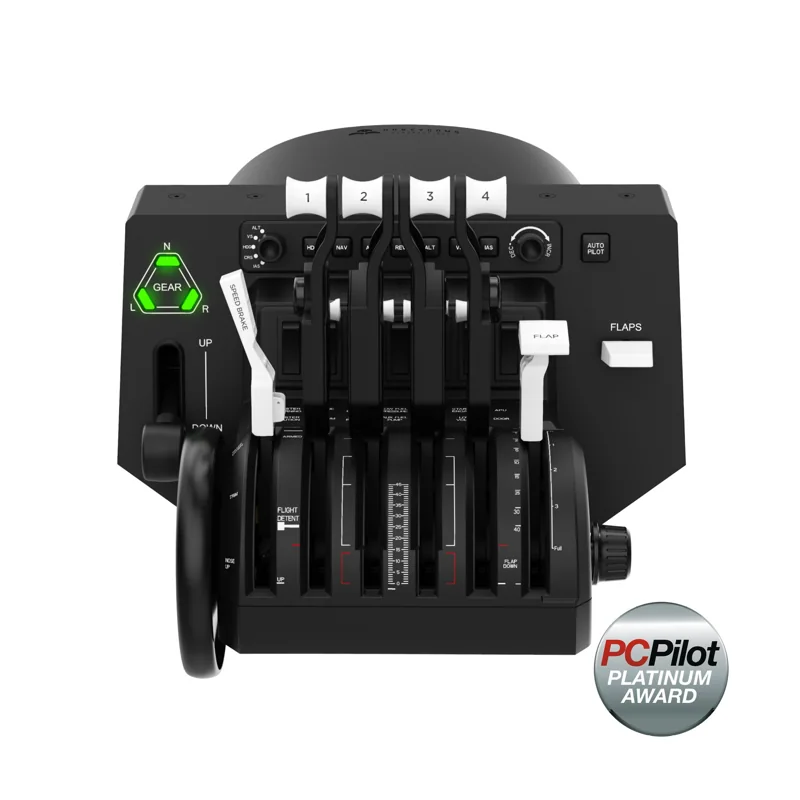
#1. Honeycomb Bravo Throttle Quadrant: best full quadrant for GA to airliner flying
Keep in mind: it has no stick or yoke of its own, so it only makes sense once you already own one.
The Bravo is the clearest full-quadrant option here. Its levers can be set up for a single-engine plane or a four-engine airliner. It also builds in an autopilot panel, a gear lever and a flap lever. A 14-light warning panel and a trim wheel sit on the same unit. Together they cover most of a real throttle quadrant's job, from small planes to airliners.
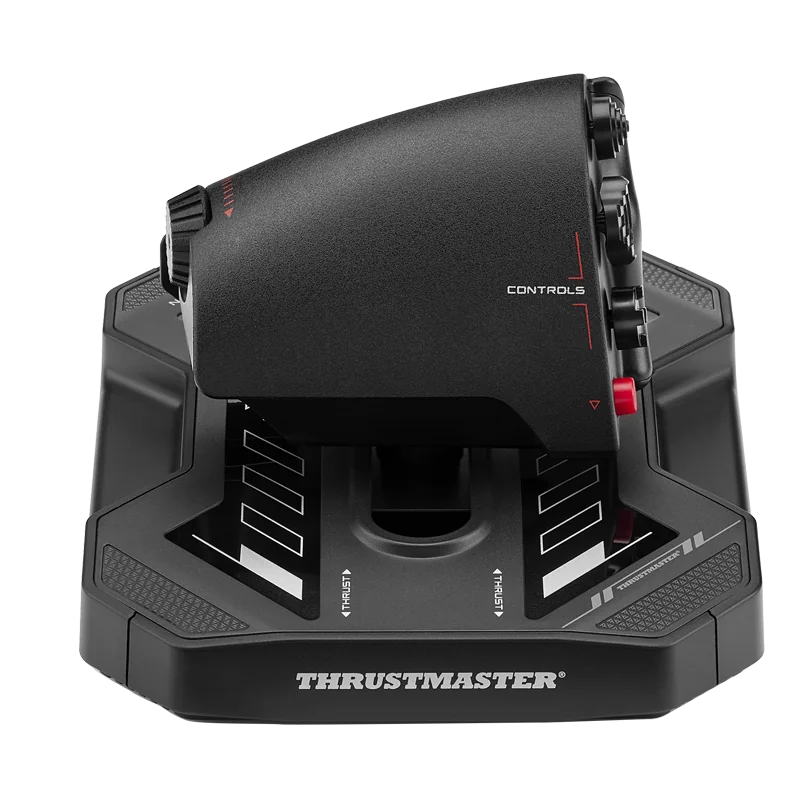
#2. Thrustmaster Sol-R 6 Throttle: best compact throttle for single-engine flying
Keep in mind: it is PC only and has one main lever, so it cannot replace a multi-engine quadrant.
The Sol-R 6 uses a single lever on S.M.A.R.T slide rails, with 80 mm of travel. You can choose no detent, a center stop, an afterburner stop or a dual-detent setup. It adds buttons, hats, a mini-stick and a rudder rocker.
It connects to PC and supports T.A.R.G.E.T. mapping. Thrustmaster lists it for civil, military and space flight.
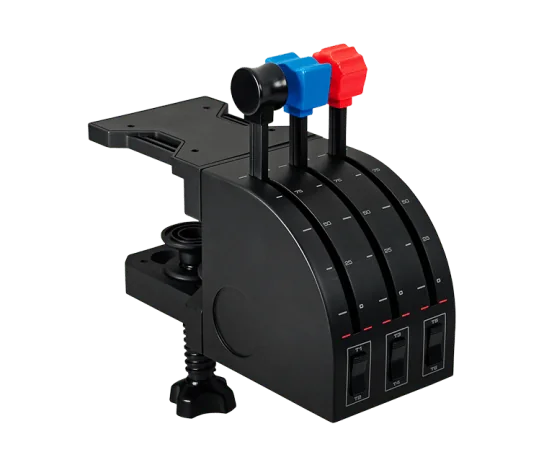
#3. Logitech G Pro Flight Throttle Quadrant: best budget full quadrant
Keep in mind: it mounts as a standalone unit, so it does not include Bravo's built-in annunciator panel.
Logitech's Pro Flight Throttle Quadrant gives you three real levers. Spare lever heads let you set them up for throttle or flaps, or for mixture and prop pitch, based on the plane. Three two-way rocker switches add more control. It mounts on top of your desk or in front of it. It works on Windows 7 through 11.
#4. CH Products Throttle Quadrant USB: best six-lever throttle for PC and Mac
Keep in mind: it uses Control Manager software rather than a game-specific mapping tool.
CH Products' Throttle Quadrant has six lever axes plus 12 buttons from flip switches. That is more separate levers than Logitech's three-lever quadrant. Its clamps fit desks from 3/4 inch to 2 1/4 inches thick. A 7-foot USB cable connects it to a PC or Mac. You program it with CH's Control Manager software, which comes in the box.
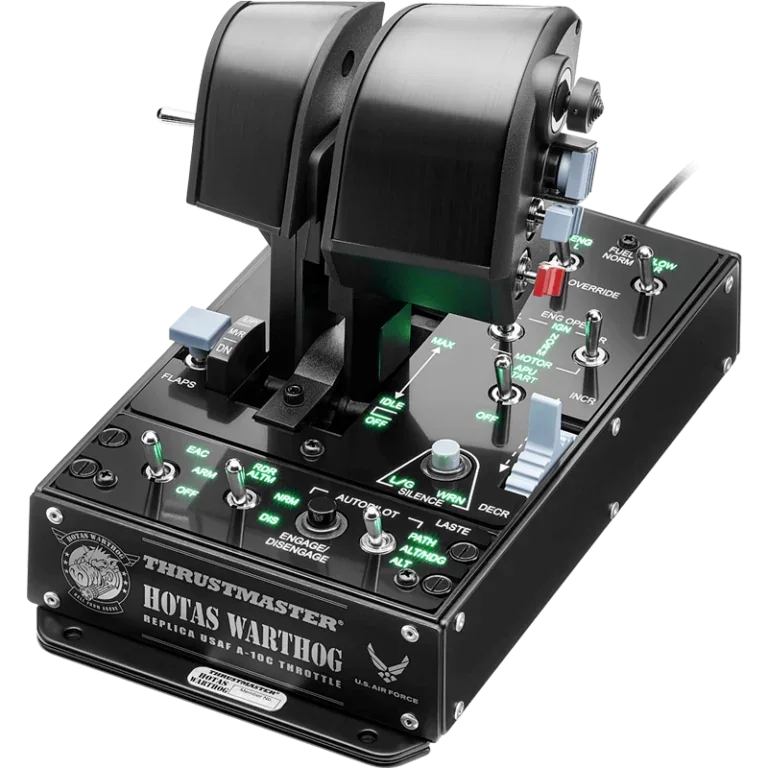
#5. Thrustmaster HOTAS Warthog Dual Throttle: best throttle for a matched combat-sim HOTAS
Keep in mind: its weighted base is heavy and PC only, so it is a desk-mounted, dedicated-space purchase.
This is the two-lever throttle built to pair with the Warthog stick. It uses 3D magnetic sensors on both levers for precise engine input. Adjustable friction plus idle and afterburner detents copy the feel of a real twin-engine throttle. It has 17 buttons, a mouse hat and an 8-way hat, plus a built-in control panel for extra mapping room. The weighted base is over 6.5 lb, and it works on PC only.
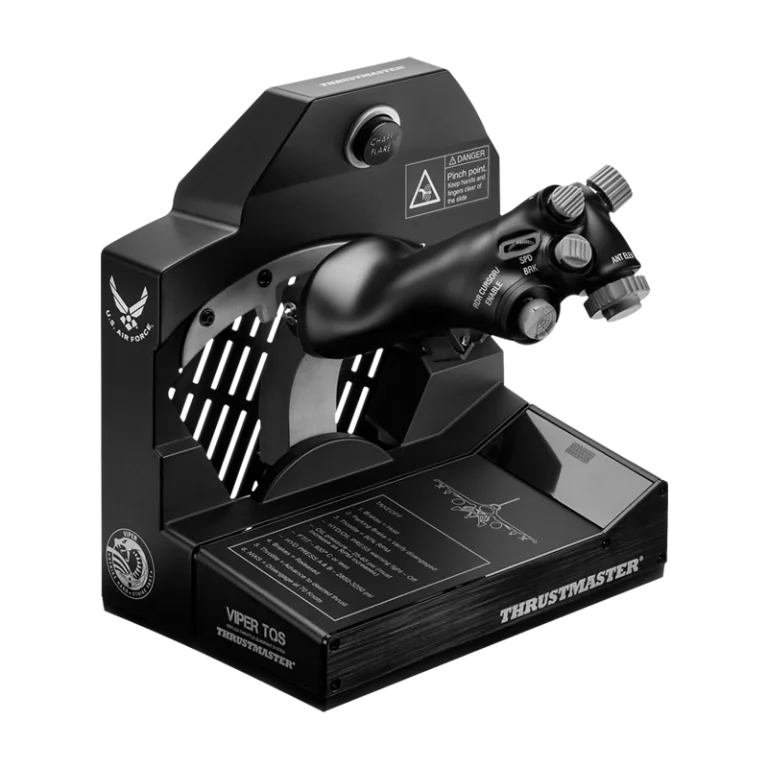
#6. Thrustmaster Viper TQS Throttle: best replica throttle for F-16 style flying
Keep in mind: it is PC only, built for a specific fighter-style flying feel rather than general GA use.
The Viper TQS is a 1:1 metal copy of the F-16 Viper throttle handle. It has 21 action buttons and 5 axes. You can switch off its idle and cutoff detents, and its afterburner detent too. Adjustable friction sets how hard the lever pushes back. It works on PC only.
Factors to consider when choosing a flight sim throttle
Single-lever throttles are compact and focused
A compact throttle handles one power lever plus a set of mapped buttons. It suits single-engine flying, or pairing with a HOTAS stick. The Thrustmaster Sol-R 6 is the clearest example. It has one lever plus a mini-stick and hats. Its detent options let you choose a center stop for space flying or full lever travel for a plane.
Full quadrants suit GA-to-airliner range
A full throttle quadrant gives each engine and system control its own lever. That matters once you fly planes complex enough to need flaps and gear as separate inputs, along with spoilers and reverse thrust. The Honeycomb Bravo and Logitech's Pro Flight Throttle Quadrant both take this approach. CH Products' six-lever quadrant sits between them, with more axes than Logitech's three-lever unit.
HOTAS-integrated throttles: when the throttle comes with the stick
Not every simmer needs a standalone throttle. The Thrustmaster Warthog throttle and the Viper TQS each pair with a matched stick and a certain style of flying. If you already own a HOTAS, check what throttle it includes before you add a second unit. Our Warthog joystick and throttle page covers that matched pair.
Desk space and mounting
A single-lever throttle sits flat on most desks with no extra hardware. A full quadrant like the Bravo or CH's unit is heavier and wider. Clamps or a mounting pad work best when it has a fixed spot, rather than being packed away after each session.
Software and button mapping
Thrustmaster hardware uses the free T.A.R.G.E.T. software, with preset profiles for well-known games. That covers the Sol-R 6, the Warthog throttle and the Viper TQS.
CH's quadrant uses its own Control Manager software instead. Either way, plan to spend time in your sim's controls menu once a new throttle arrives. Default bindings rarely match how you want the levers and buttons set.
Matching the throttle to the aircraft, not the other way around
The simplest way to decide is to look at what you fly. A single-engine trainer or a fighter needs one throttle input, and maybe a rudder axis. A compact throttle covers that without paying for levers you won't use. A twin-engine prop plane or an airliner benefits from a lever for each system. That is exactly what a full quadrant is built for.
Who this is for
This guide is for simmers choosing between a compact throttle and a full quadrant. It also helps if you are picking a throttle to pair with a stick you already own. Starting from zero with no stick yet? Our flight stick for PC roundup covers matched stick-and-throttle sets that skip this choice.
Verdict: which flight sim throttle to buy
For single-engine flying, or as a partner for a HOTAS stick, the best flight sim throttle is the Thrustmaster Sol-R 6. For small planes up to airliners, choose the Honeycomb Bravo, Logitech's Pro Flight Throttle Quadrant or CH's Throttle Quadrant. Each gives you real levers for flaps and gear, and the Bravo adds autopilot controls. If you fly combat sims with a matched stick, get the Warthog throttle or the Viper TQS built for that same replica.
FAQ
Do I need a dedicated throttle if I already have a HOTAS?
Not necessarily. A HOTAS like the Thrustmaster Warthog already includes a matched throttle unit, in that case a dual-lever design built for twin-engine aircraft. A separate throttle quadrant makes more sense if you fly airliners with more levers than a HOTAS throttle provides.
What's the difference between a single-lever and a full quadrant throttle?
A single-lever throttle like the Thrustmaster Sol-R 6 handles one power input plus a handful of mapped buttons. A full quadrant like the Honeycomb Bravo or CH Products Throttle Quadrant adds separate physical levers for flaps, gear and other systems, closer to what an airliner cockpit actually has.
Can a flight sim throttle work on Xbox or PS5?
The throttles covered here are PC hardware, with the Bravo also working on Mac. For console, look at all-in-one systems explicitly licensed for Xbox or PS5 instead of a standalone PC throttle.
Is a HOTAS throttle like the Warthog's good enough on its own?
For fighters and twin-engine aircraft, yes. The Warthog throttle is built as a matched dual-lever unit for its stick, with idle and afterburner detents, and covers most of what a combat-sim pilot needs without a separate quadrant.