On PC, Xbox and PS5, pick for what you fly: a HOTAS like the Logitech G X56 for combat, a yoke like the Honeycomb Alpha for airliners and GA. On console, check the license first.
The best flight simulator controls depend on two questions: what you fly, and what you fly it on. This list covers picks for PC, Xbox and PS5. A fighter-jet HOTAS and an airliner yoke-and-throttle rig solve different problems.
A control built for PC won't always work on an Xbox or PS5, however good it is. This roundup compares seven pieces of hardware across those groups. That way you can match the pick to your setup, not to looks or brand names.
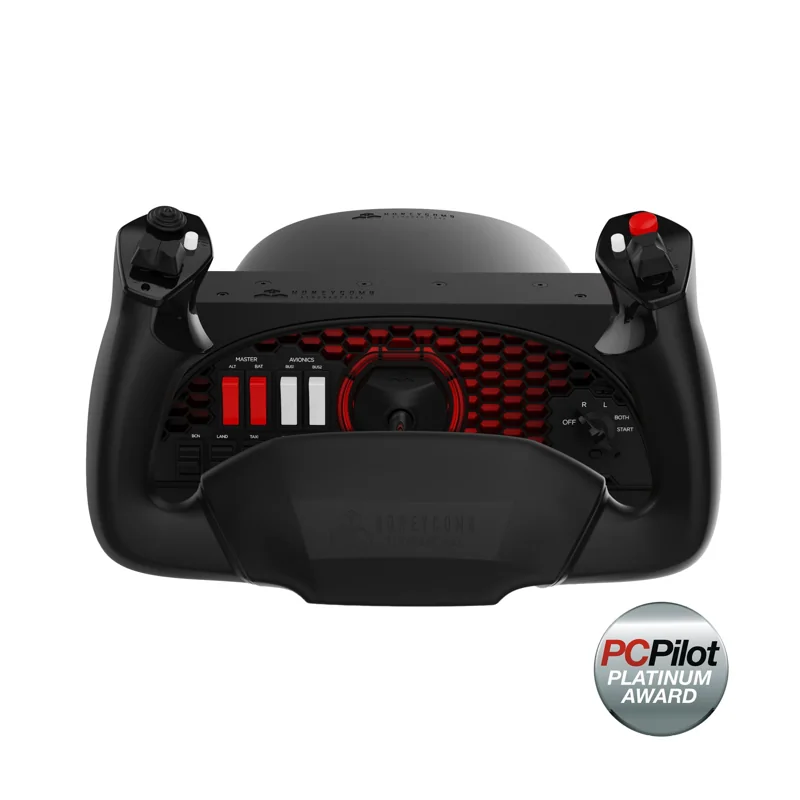
#1. Honeycomb Alpha Flight Controls: best yoke for GA and airliner flying
Keep in mind: it ships without a throttle quadrant, so power and mixture levers need a separate unit or mapped buttons.
The Alpha turns a true 180 degrees on a solid steel shaft that rides on two linear ball bearings. It centers itself with damping and has very little dead zone. Each handle has its own controls. The left handle has two vertical 2-way switches, an 8-way POV switch and two buttons you can program. The right handle has two horizontal 2-way switches plus a small and a large button.
A built-in switch panel adds the master and alternator switches, plus avionics and light switches. It also has a 5-way ignition switch. All of them have red LED backlighting for night flying. It connects to a PC over USB.
#2. Thrustmaster TCA Yoke Boeing Edition: best licensed yoke for Xbox and PC
Keep in mind: it is a yoke on its own, so a throttle quadrant is a separate purchase for flaps and reverse thrust.
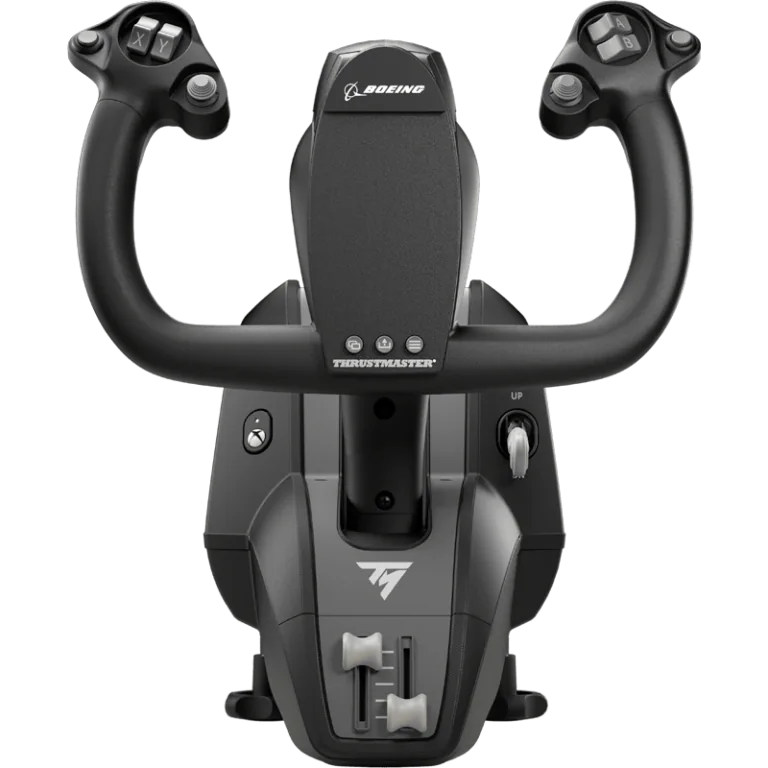
Boeing and Xbox both license this yoke. It copies a Boeing 787 yoke, with 8.3 inches of travel and a frame that is all metal inside. A hanging mechanism copies the feel of a real pendulum yoke.
It has 18 action buttons and 2 more axes on its base. That is enough to take off without a throttle quadrant attached. It connects over USB-C to an Xbox Series X|S, an Xbox One or a PC.
#3. Turtle Beach VelocityOne Flight: best all-in-one system for Xbox
Keep in mind: it is a fixed all-in-one unit rather than separate parts you can mix and match across brands.
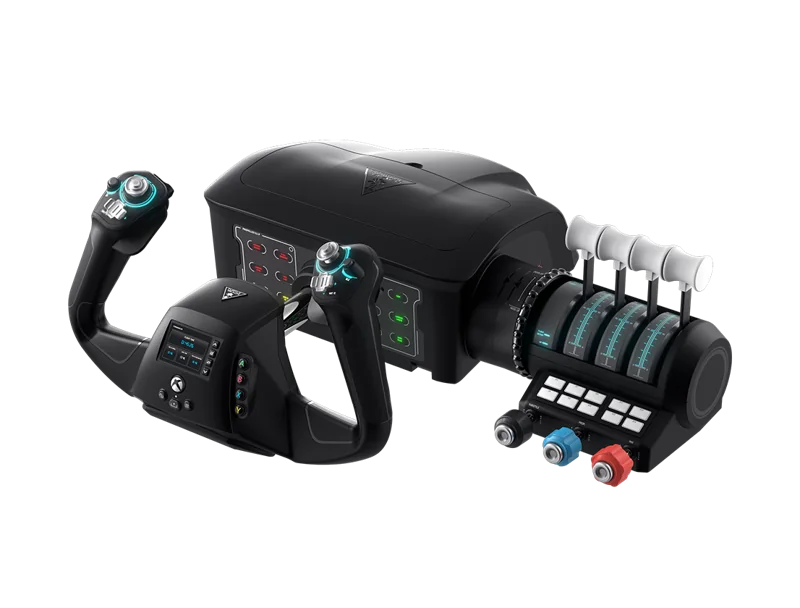
This is a yoke and throttle system in one unit. The yoke turns a true 180 degrees and uses a contactless Hall-effect sensor. The throttle quadrant is modular.
You swap the lever handles to suit a light single-engine plane or a heavier multi-engine one. It also has built-in rudder and brake controls and a full-color flight display. It connects over USB to an Xbox Series X|S, an Xbox One or a Windows PC.
#4. Thrustmaster T.Flight HOTAS 5 (Microsoft Flight Simulator Edition): best licensed HOTAS for PS5
Keep in mind: adding rudder pedals means buying the TFRP separately.
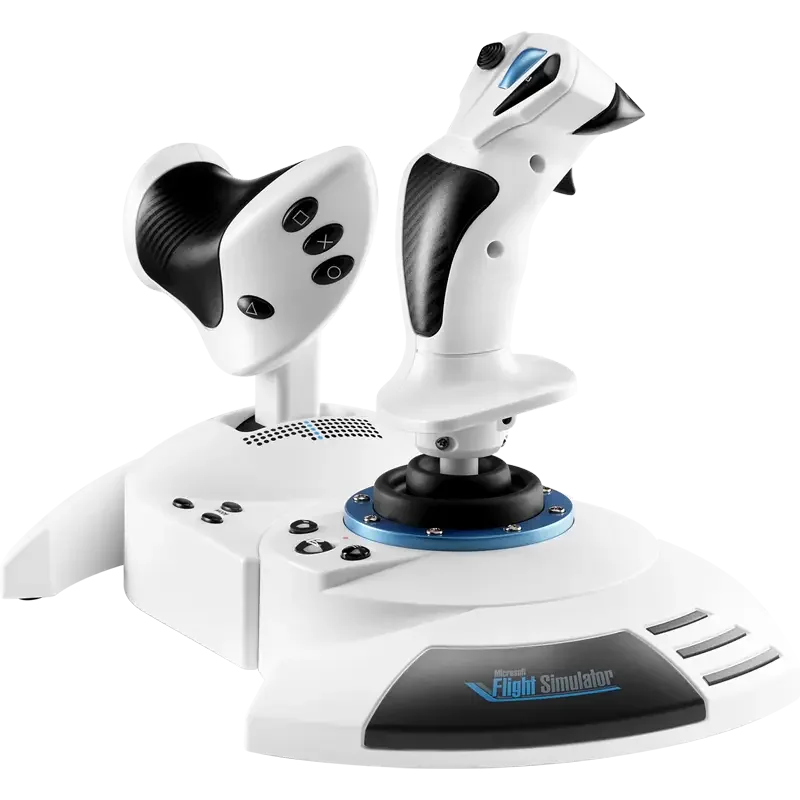
This is a 5-axis HOTAS with 16-bit precision. The stick has 14 action buttons, a rapid-fire trigger and a hat switch. The throttle detaches for lap or desk use.
You steer the rudder with a twist of the stick or a tilting lever. You can adjust the stick's resistance, and it works with Thrustmaster's TFRP pedals as an add-on. It carries the official Microsoft Flight Simulator license and works on PS5, PS4 and Windows PC.
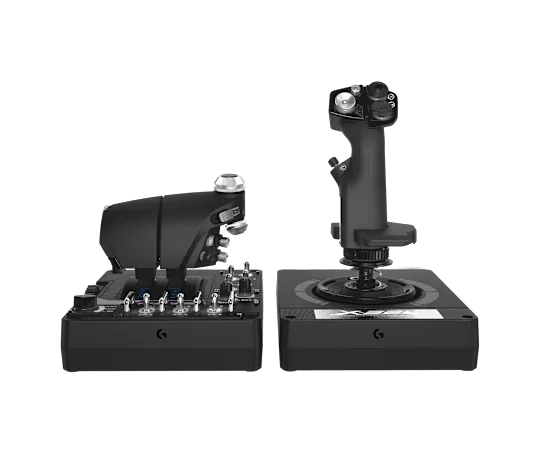
#5. Logitech G X56 HOTAS: best PC HOTAS for twin-engine and space flying
Keep in mind: it is a PC controller, not console-certified.
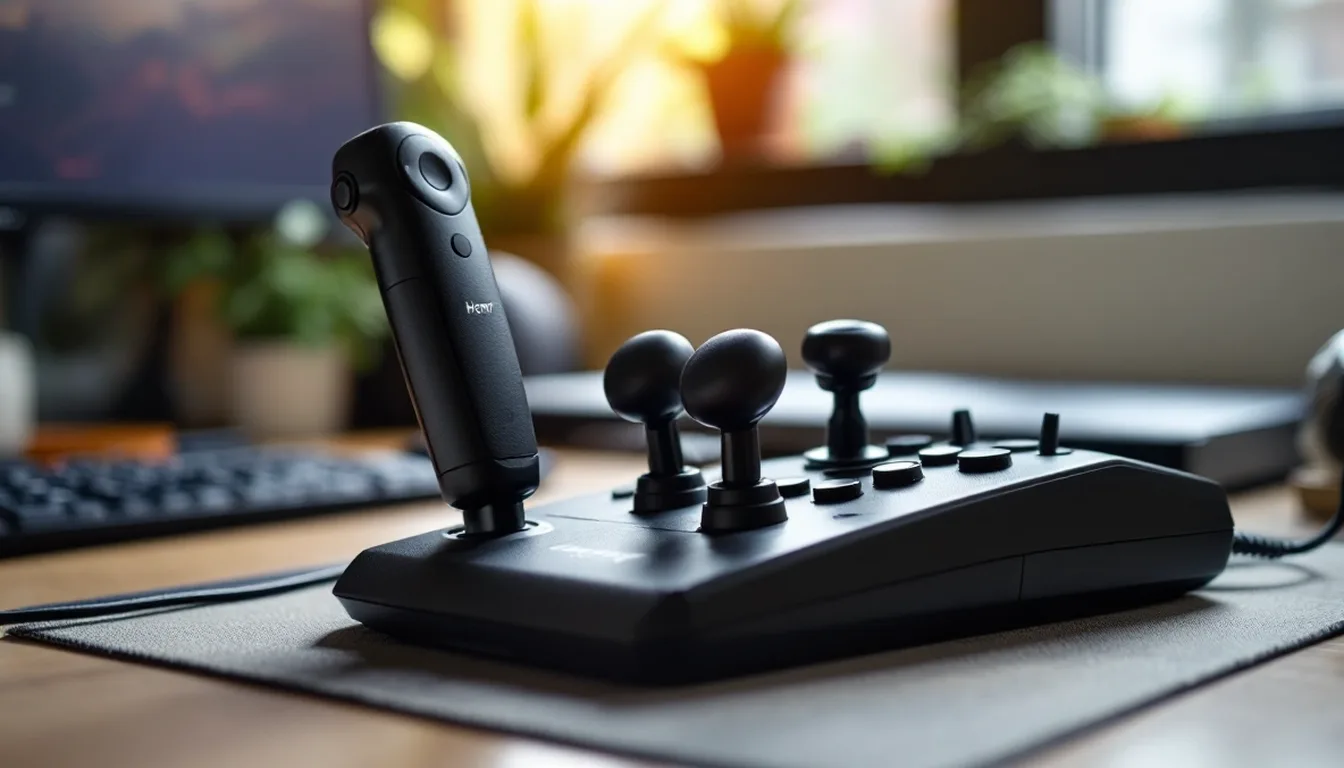
The stick has 16-bit Hall-effect sensors on pitch and roll. Four swappable springs set how hard it pushes back. The throttle has two levers with a friction dial. A lock joins them into one lever for single-engine flying.
Mini analog sticks and RGB lights round out the features. It connects to PC only. Our X56 HOTAS review covers it in full.
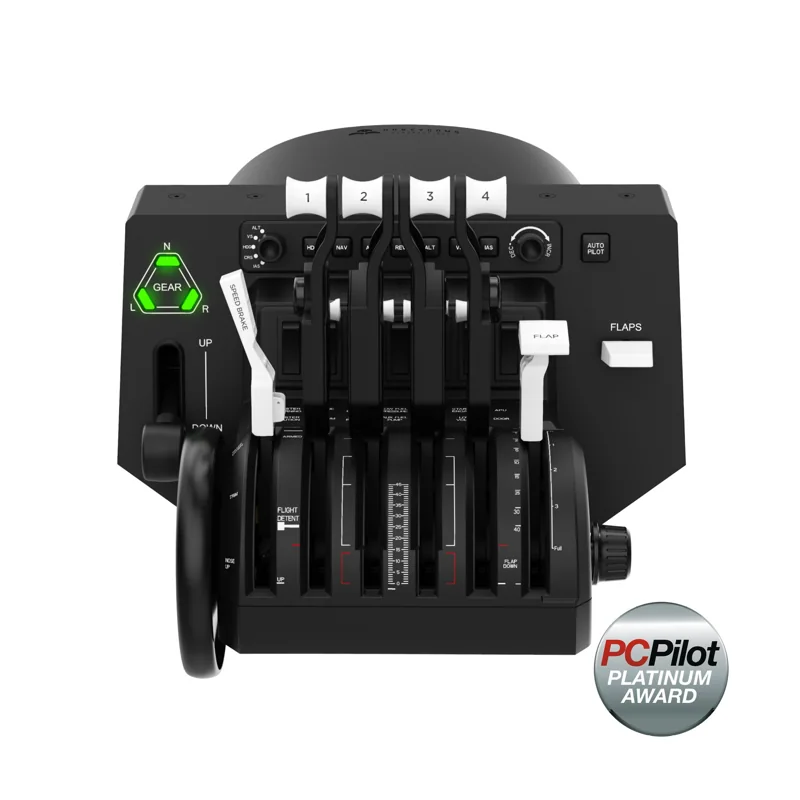
#6. Honeycomb Bravo Throttle Quadrant: best standalone throttle for a range of aircraft
Keep in mind: it is a throttle only, so a separate stick or yoke is required to fly.
The Bravo's levers can be set up for anything from a single-engine plane to a four-engine airliner. It has a built-in autopilot panel, a gear lever and a flap lever. A warning panel with 14 lights and a trim wheel sit on the same unit. It connects over USB to PC or Mac.
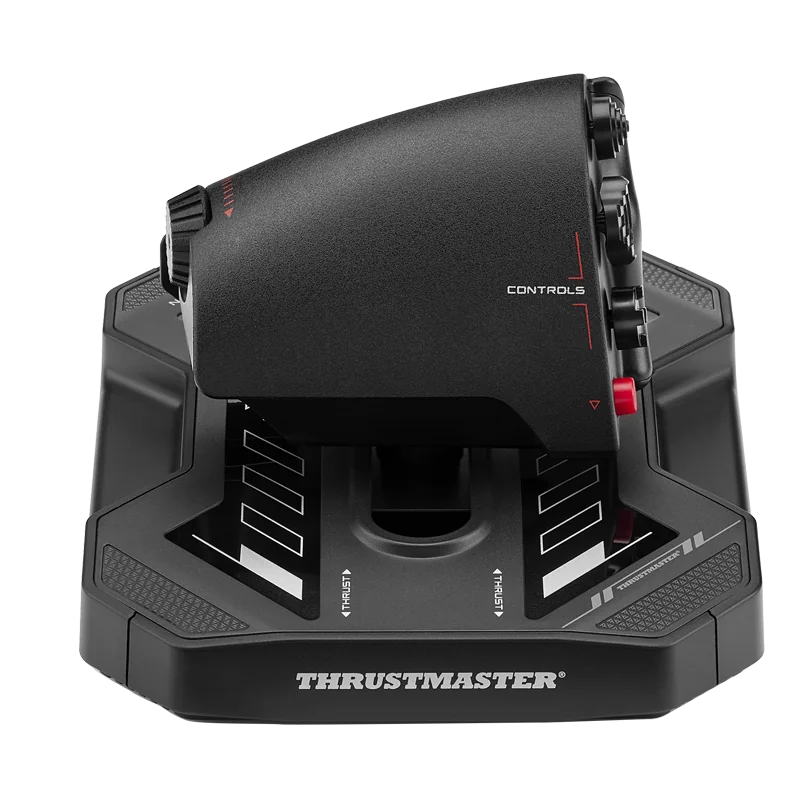
#7. Thrustmaster Sol-R 6 Throttle: best compact PC throttle
Keep in mind: it is PC only, with no Xbox or PlayStation license.
The Sol-R 6 is a single-lever PC throttle with 80 mm of slide-rail travel. It has a mini-stick, hats and a rudder rocker. Its detent can be set for full travel, a center stop, an afterburner stop or two stops. It supports T.A.R.G.E.T. mapping and suits civil, military and space flight.
Factors to consider when choosing the best flight simulator controls
Match the hardware to the aircraft, not the other way around
The biggest factor is what you fly. A HOTAS copies a fighter's center stick, built for combat flying. A yoke copies the wheel found in airliners and most small trainers. Buying on looks, rather than on the type of plane you fly most, is the most common first-time mistake.
Platform licensing comes before spec comparisons
Console flight hardware must carry a console license. A controller that works great on PC may not connect to an Xbox or PS5 at all. The console won't accept unlicensed hardware as a controller. Confirm the license on the exact listing before you compare spec sheets. A strong PC controller is useless on a console it can't connect to.
Desk space is a real constraint
A single HOTAS or a compact throttle like the Sol-R 6 fits on most desks without a mount. Heavier metal HOTAS units do better with a fixed spot than being packed away after each session. Full yoke-and-quadrant setups take the most room. The yoke's turn and the throttle's lever travel both need space on each side. If space is tight, one combined HOTAS beats a yoke and separate throttle every time.
Sensor type affects how a control feels years in
Hall-effect sensors read position with magnets instead of touching parts. The X56 and the VelocityOne Flight both use them. They tend to hold up better over years of use than potentiometer sensors. This rarely matters in the first few months. It is what decides how a control feels after a couple of years of regular flying.
Throttle quadrants: add-ons or standalone
Some simmers already own a stick and just need a real throttle. That is common for airliner flying, which uses more levers than a HOTAS throttle has. A compact option like the Sol-R 6 suits simmers who want one throttle lever with extra mapped controls.
A full panel like the Honeycomb Bravo suits simmers who fly everything from light planes to airliners. It builds in flap and gear levers and an autopilot panel. Our flight sim throttle roundup covers more choices.
Yokes: for airliners and GA trainers
If you fly planes that use a wheel in real life, a yoke feels closer to the real thing than any stick. The Honeycomb Alpha covers this group on PC and Mac. The Thrustmaster TCA Yoke Boeing Edition and the Turtle Beach VelocityOne Flight extend it to Xbox.
Console-certified picks in this list
Among the picks above, the Turtle Beach VelocityOne Flight and the Thrustmaster TCA Yoke Boeing Edition are Xbox-licensed. The Thrustmaster T.Flight HOTAS 5 MSFS Edition is PS5-licensed.
The Honeycomb Alpha supports PC and Mac. The Bravo also supports PC and Mac; Xbox needs Honeycomb's Alpha XPC and Xbox Hub. The Logitech X56 and Thrustmaster Sol-R 6 are PC only. Our PS5 flight simulator controls page covers the PS5 options in more depth.
Mixing brands across your setup
Most flight-sim hardware connects as a standard USB device. So on PC you aren't locked into one maker's family of gear, the way you would be on a console. A Logitech stick, a Honeycomb throttle and a Honeycomb yoke all show up in your sim as separate controllers. You bind each one on its own, and they don't need to match.
The one place this gets harder is maker software, like Thrustmaster's T.A.R.G.E.T. tool. It works best across that maker's own hardware. If you mix brands, expect to do more of your mapping in the sim's own controls menu. One company's software won't tie everything together.
Budget tiers, without chasing the cheapest option
The hardware above isn't all built to the same level, and the groups separate cleanly once you look past brand names. A Sol-R 6 throttle with an entry-level stick lets you set engine power separately from pitch and roll. Its mini-stick and hats also give you room to map views or extra flight controls. It remains a single-lever choice rather than a multi-engine quadrant.
The Logitech X56 and the Honeycomb Alpha and Bravo sit in the middle to upper band. There you get metal builds, more buttons and axes, and features like two throttle levers or a full warning panel. The console-licensed picks span a similar range. So a console license on its own doesn't tell you the price level either way.
Rudder pedals belong in the plan too
None of the seven picks above include a full rudder pedal set. Several support twist-axis rudder or add-on pedals. Some planes need real rudder work on the ground or in a crosswind.
Taildraggers, warbirds and most small trainers are among them. If you fly those, plan to add pedals once your main controls are settled. Our rudder pedals roundup compares current options for PC and console.
Common mistakes worth avoiding
The most common mistake is buying for a platform you don't use. A PC-only stick like the X56 will never work on an Xbox or PS5, whatever the reviews say. The console won't accept unlicensed hardware as a controller.
The second mistake is buying a full yoke and quadrant before you know you fly enough airliner or small-plane content. A HOTAS covers a wider range of aircraft in less desk space. Plenty of simmers who later want a yoke do better starting with a HOTAS and adding the yoke later.
The third mistake is ignoring the rudder. Most sticks and yokes above support twist rudder or add-on pedals. Skipping rudder input works fine for casual flying. It becomes a real limit once you land in crosswinds or fly taildraggers.
How to actually choose
Start with what you fly, not what looks best in photos. Fighters and combat aircraft want a HOTAS. Airliners and small trainers want a yoke. Pair it with a real throttle quadrant once you fly anything more complex than a single-engine trainer.
Then filter by platform. PC opens up the full list above. Xbox narrows you to Xbox-licensed gear like the VelocityOne Flight or the TCA Yoke Boeing Edition. PS5 narrows you further still, for now to Thrustmaster's licensed T.Flight line.
Verdict: the best flight simulator controls for most people
For combat flying on PC, the Logitech G X56 is the strongest pick here for twin-engine and space games. For airliner and small-plane flying, the Honeycomb Alpha with the Honeycomb Bravo throttle covers most needs on PC and Mac. On Xbox, the Turtle Beach VelocityOne Flight is the most complete single purchase. On PS5, the Thrustmaster T.Flight HOTAS 5 MSFS Edition is the current licensed pick. The best flight simulator controls are the ones that match what you fly, so add rudder pedals once ground handling and crosswinds start to matter.
FAQ
What is the best flight simulator control for a beginner?
A single combined HOTAS unit gives you stick, throttle, and enough buttons to fly comfortably without the cost or desk space of a full yoke-and-quadrant setup. Add a yoke later if you find yourself flying mostly airliners or GA trainers.
Do I need a yoke or a HOTAS?
Match the control to the aircraft category you fly most. A HOTAS suits fighters and combat aircraft, which use a center stick in real life. A yoke and throttle quadrant suits airliners and most general-aviation trainers, which use a wheel-style control in real life.
Which flight controls work on Xbox or PS5?
Only hardware explicitly licensed for that console. On Xbox, that includes the Turtle Beach VelocityOne Flight and Thrustmaster's TCA Yoke Boeing Edition. On PS5, Thrustmaster's T.Flight HOTAS 5 Microsoft Flight Simulator Edition is a current officially licensed option.
Can I mix a HOTAS from one brand with a throttle or yoke from another?
Generally yes on PC, since most hardware connects as a standard USB device and gets mapped independently in your sim's control settings. Console setups are more restrictive, so check that every piece you are combining carries the same console's official license.