The Turtle Beach VelocityOne Flight is the strongest all-in-one pick for Xbox, the Thrustmaster T.Flight HOTAS One is the best licensed HOTAS, and the TCA Yoke Boeing Edition is the pick specifically for airliner flying.
Xbox flight simulator controls have one hard rule. The hardware must be licensed and labeled Designed for Xbox. That is a certification rule set by the console, not a driver issue. It rules out most PC-focused HOTAS and yoke gear, however well it is built. Here are five current Xbox-licensed options, covering a HOTAS, a yoke, a stick and full kits.
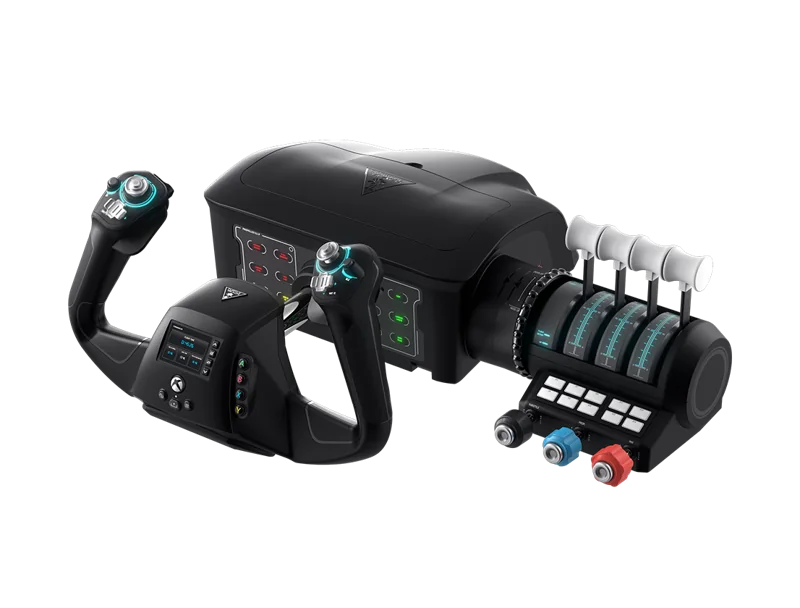
#1. Turtle Beach VelocityOne Flight: best all-in-one Xbox flight control
Keep in mind: it is a fixed all-in-one unit rather than separate parts you can mix and match.
The VelocityOne Flight combines a yoke with a throttle quadrant and a trim wheel. The yoke turns a true 180 degrees, read by a Hall-effect sensor. Rudder and brake controls are built into the unit itself. It connects to an Xbox Series X|S, an Xbox One or a Windows PC.
#2. Thrustmaster TCA Yoke Boeing Edition: best licensed yoke for airliner flying
Keep in mind: it is a yoke on its own, so flaps and reverse thrust need a separate throttle quadrant.
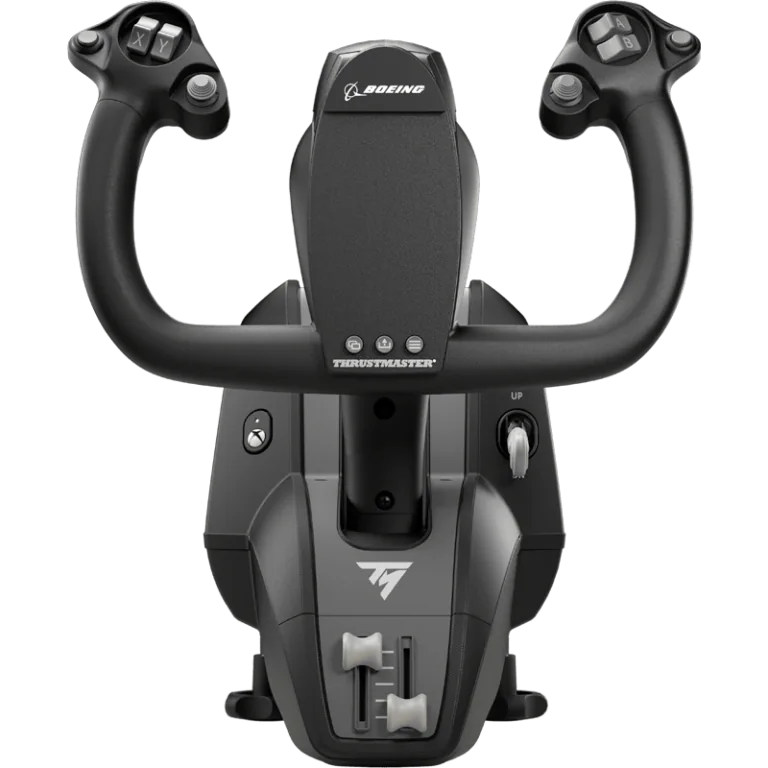
Boeing and Xbox both license this yoke. It copies the Boeing 787 yoke. A pendulum design gives it 8.3 inches of travel. It has a metal frame inside and 18 buttons. It works on Xbox Series X|S, Xbox One and PC.
#3. Thrustmaster T.Flight HOTAS One (MSFS Edition): best licensed HOTAS
Keep in mind: rudder pedals are a separate purchase, the Thrustmaster TFRP.
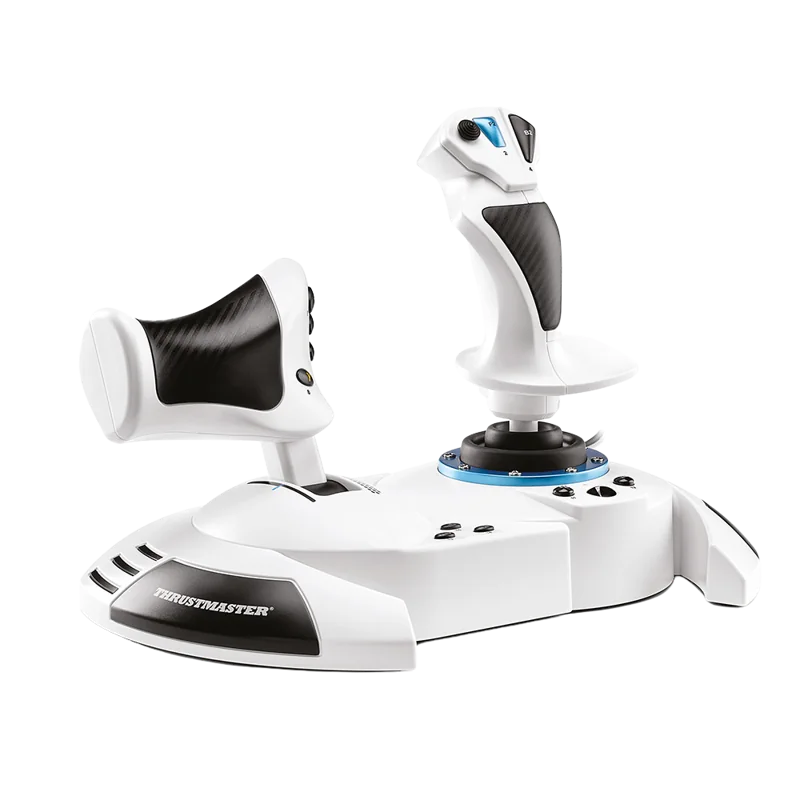
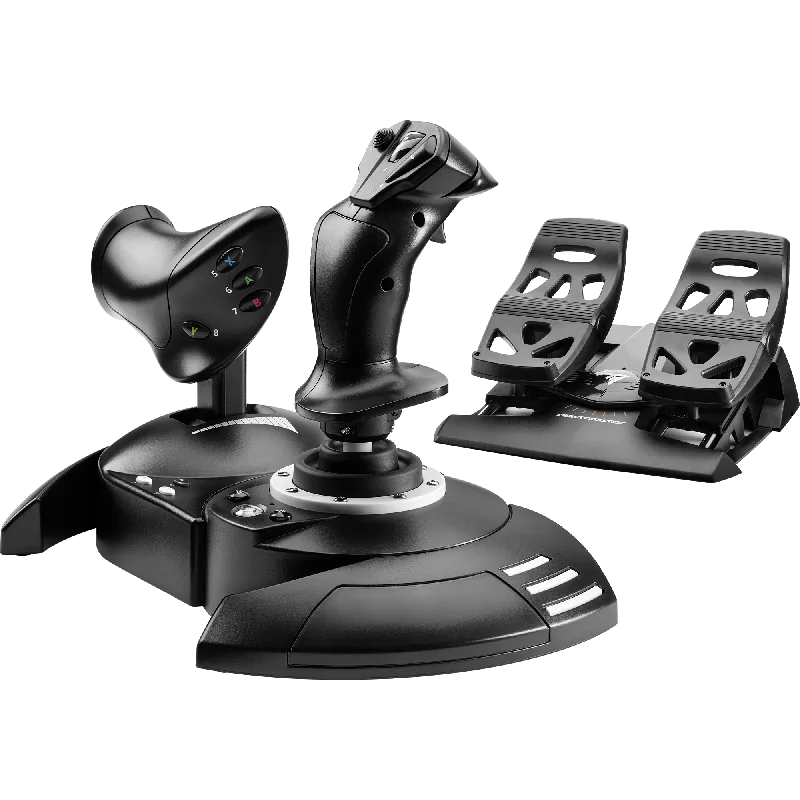
This HOTAS is officially licensed for Microsoft Flight Simulator on Xbox Series X|S and PC. It has 5 axes, 14 buttons and a rapid-fire trigger. The throttle detaches for desk or lap use. Our T.Flight HOTAS One review covers it in more depth.
#4. Turtle Beach VelocityOne Flightstick: best licensed stick with a built-in display
Keep in mind: it is a stick rather than a full yoke-and-throttle bundle.
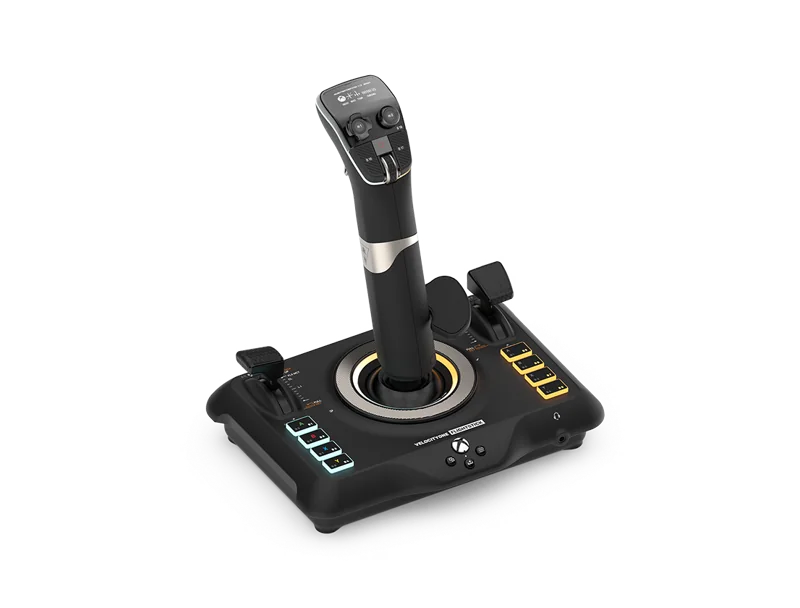
This stick has 27 buttons, 8 axes and a POV hat. Throttle and flap levers sit on its base. It also has a built-in OLED flight screen. It works on Xbox Series X|S, Xbox One and PC.
#5. Thrustmaster T.Flight Full Kit X: best complete kit for Xbox
Keep in mind: the pedals run on slide rails rather than a full pendular or belt-drive mechanism.
The Full Kit X puts a stick, a detachable throttle and rudder pedals in one box. The pedals add 3 axes and move on slide rails. Everything is plug and play, with functions set up out of the box. It works on Xbox Series X|S, Xbox One and PC.
Factors to consider when choosing Xbox flight simulator controls
Why this list stays short
Xbox's certification rule filters out most flight sim hardware on the market. That is why the list above comes from only a handful of makers. If a product doesn't say Designed for Xbox, or name Xbox Series X|S on its listing, treat it as PC only until proven otherwise.
Matching hardware to what you fly
The all-in-one VelocityOne Flight and the TCA Yoke Boeing Edition both suit airliner and small-plane flying. Each is built around a wheel-style yoke. The T.Flight HOTAS One and the Full Kit X suit fighter and combat flying, since they use a center stick.
The VelocityOne Flightstick sits in between. It gives you stick-style input with more buttons and a built-in screen. That suits pilots who want extra functions mapped without digging through a menu.
Confirming the license before you buy
One product family can include licensed and unlicensed versions with very similar names. Always check the exact listing for the words Xbox Series X|S or a Designed for Xbox label before you order. Don't assume a well-reviewed stick from the same product line will work on the console.
Setting up on Xbox
A licensed controller plugs into a free USB port, and the Xbox sees it on its own. You map buttons and axes in each game's controls menu. There is no maker software on the console. Before your first real flight, test each axis in the game's control screen. Check that full travel reads correctly and that nothing is flipped.
Adding pedals later
If you buy a HOTAS or stick without pedals, you can add them later. Pick pedals whose listing names Xbox, such as Thrustmaster's TFRP. Our rudder pedals roundup covers the options.
Verdict: the best Xbox flight simulator controls
The Turtle Beach VelocityOne Flight is the strongest all-in-one pick if you want a yoke and throttle plus rudder controls without buying separate pieces. The Thrustmaster T.Flight HOTAS One is the best licensed HOTAS for fighter-style flying. The TCA Yoke Boeing Edition is the pick if airliners are your main focus. The Full Kit X and the VelocityOne Flightstick round out the list with a complete kit and a feature-rich single stick. All five are licensed Xbox flight simulator controls, so choose by the planes you fly.
FAQ
Can I use any USB flight stick on Xbox?
No. Xbox consoles only recognize controllers explicitly licensed and labeled Designed for Xbox. This is enforced at the console's input layer, not something a patch or driver fixes.
What is the best all-in-one Xbox flight control?
The Turtle Beach VelocityOne Flight is the most complete single-purchase option, combining a yoke with a throttle quadrant and rudder controls in one Xbox- and PC-compatible system.
Which Xbox flight simulator controls also work on PC?
All five of the picks on this page, the T.Flight HOTAS One, TCA Yoke Boeing Edition, VelocityOne Flight, VelocityOne Flightstick, and Full Kit X, list PC compatibility alongside their Xbox licensing.