
Yokes & Pedals
CH Flight Sim Yoke: Eclipse Compatibility and Setup
The short answer
The Eclipse is an older CH flight sim yoke with built-in engine controls and rudder paddles. It uses driverless USB on PC and Mac; optional Control Manager programming is Windows only. Our flight sim yoke roundup has the current picks.
Last updated October 2026
What's covered7
The CH Eclipse is an older CH flight sim yoke that is hard to find new. Our flight sim yoke roundup has the current picks. Owners and used buyers can use this page as a reference.
The Eclipse combines pitch and roll with engine levers and rudder paddles. USB recognition needs no separate driver, and the sim can handle button assignments. Control Manager adds optional programming on Windows. Separate throttle or pedal bindings need care so two controls do not command the same axis.
If you are deciding which yoke to use for a new setup, compare the current models by platform and control layout.
CH flight sim yoke controls: what the Eclipse is
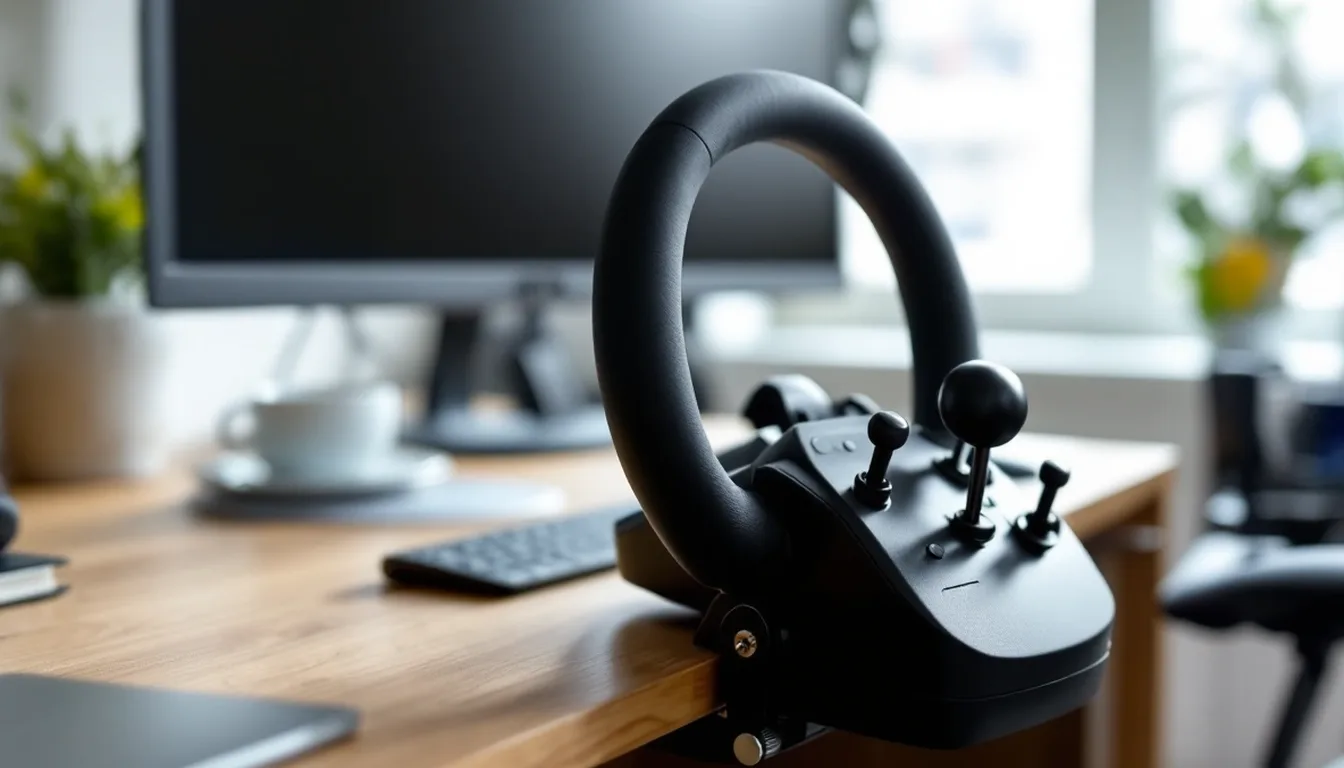
The Eclipse maker page lists six 10-bit axes for aileron, elevator, throttle, propeller pitch, fuel mixture and rudder. Its colored engine levers and fingertip rudder paddles put those controls on the yoke itself. CH also lists hat switches, rocker switches and trim wheels. Those are hardware features, not a claim about how the yoke feels in flight.
What sets the Eclipse apart as a CH flight sim yoke
Setup is plug and play over USB. You don't need a separate device driver for basic recognition. CH's support FAQ says the sim can handle button assignments without Control Manager. The optional software is for Windows users who need more programming; it is not Mac software or a required driver.
For setup, keep device recognition separate from sim bindings. CH says to connect the controllers and let Windows recognize them before opening the sim. A yoke that appears in the system still needs the right pitch, roll and engine assignments in the sim. Check those assignments before adding a custom profile.
Using a separate CH Throttle Quadrant
The CH Throttle Quadrant is a separate USB controller with six lever axes and 12 buttons. Its base clamps to desks from 3/4 inch to 2 1/4 inches thick. It has its own 7-foot USB cable and supports PC and Mac. Control Manager can program it on Windows.
With the two together, engine control can move to the quadrant rather than the yoke's built-in levers. CH's FAQ says to disable the yoke's throttle assignments inside the sim when using a separate CH throttle. Otherwise, both devices can send commands for the same function. Our flight sim throttle roundup explains the wider choice of throttle layouts.
Mounting and desk fit
Both the Eclipse Yoke and the Throttle Quadrant clamp to the edge of a desk. CH gives the same 3/4-inch to 2 1/4-inch desk range for each. Check the desk edge and the space under it before mounting. A drawer or keyboard tray can block the clamp even when the top fits the stated thickness.
Leave room in front of the yoke for its full travel too. Pulling the yoke back toward you needs clear space for your hands and arms. A desk that is too shallow, or a keyboard tray in the way, can cut that travel short.
Platform and software notes
CH lists PC and Mac OSX for the Eclipse, with a 7-foot USB cable. Its published OS list runs through Windows 10; that older list does not prove support for every newer Windows or Mac release. It does not list Xbox or PlayStation support. Check the exact OS and sim requirements rather than treating any USB yoke as a console controller.
If rudder pedals are already part of the setup, CH says to disable the Eclipse's rudder or Z-axis assignment in the sim. That leaves the pedal axis in charge. The same principle applies to engine controls: choose which physical control owns each function, then remove the duplicate binding.
How it compares in kind with current yokes
The Eclipse puts engine levers and rudder paddles on the yoke. By contrast, Honeycomb's Alpha centers on a yoke and switch panel, with 180 degrees of rotation. Thrustmaster's TCA Yoke Boeing Edition uses a pendular mechanism and lists Xbox and PC support. These are differences in layout and platform.
The flight sim yoke roundup covers the wider choice. Compare the exact model's platform support first, then decide whether you want engine controls on the yoke or on a separate unit. That helps avoid comparing two very different control layouts by brand name alone.
Verdict: the CH flight sim yoke as a reference
The Eclipse remains a useful CH flight sim yoke reference for its built-in controls, USB setup and optional Windows programming. Match the bindings to the hardware already in your setup and keep the maker's stated OS limits in mind. For a current buying choice, use our flight sim yoke roundup.
FAQ
What is the CH flight sim yoke?
CH Products has made both a Flight Sim Yoke and an Eclipse Yoke. This reference covers the older Eclipse, which has built-in engine controls and rudder paddles.
How many axes does the CH Products Eclipse Yoke have?
CH Products lists six 10-bit axes: aileron, elevator, throttle, propeller pitch, fuel mixture and rudder.
Does the CH Products Eclipse Yoke need drivers?
No separate device drivers are required. It installs as a plug-and-play USB device. Control Manager is optional Windows programming software, not a device driver.
Is the CH Products Eclipse Yoke compatible with Mac?
CH Products lists driverless USB support for PC and Mac OSX. Its optional Control Manager software is Windows only; the maker's older OS list does not establish support for every newer OS release.