The Honeycomb Alpha yoke is the right first buy for most simmers, paired with the Bravo throttle quadrant once you want dedicated engine and autopilot controls. Charlie rudder pedals round out the set, but check the Xbox Hub requirement first if you fly on console.
Honeycomb flight sim controls come in three pieces: a yoke, a throttle quadrant and a set of rudder pedals. All three are built around one style of flying. That is wheel-and-lever flying for small planes and airliners, not center-stick combat. Here is how the three current Honeycomb pieces compare, and which one to buy first.
#1. Honeycomb Alpha Flight Controls: best yoke to start a Honeycomb setup
Keep in mind: it is a yoke only, so a throttle and rudder pedals still have to be bought separately.
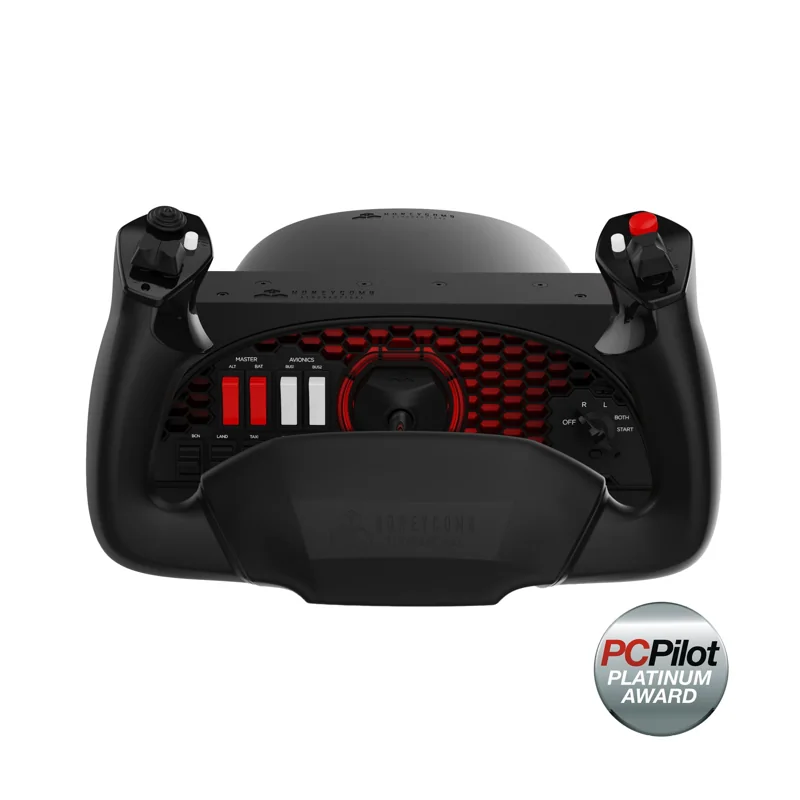
The Alpha is the base of any Honeycomb setup. It turns a full 180 degrees on a steel shaft that rides on two linear ball bearings. The centering is damped and returns on its own, with no detent at center. That gives smooth pitch and roll input, instead of a control that snaps back near the middle.
A built-in switch panel adds a 5-way ignition switch with red backlighting for night flying. Other cockpit-style switches sit beside it, so you get basic engine-start controls without a separate panel. It mounts with two clamps or a suction pad, whichever suits your desk.
#2. Honeycomb Bravo Throttle Quadrant: best throttle for engine management
Keep in mind: it has no stick or yoke of its own, so it only makes sense once you already own one.
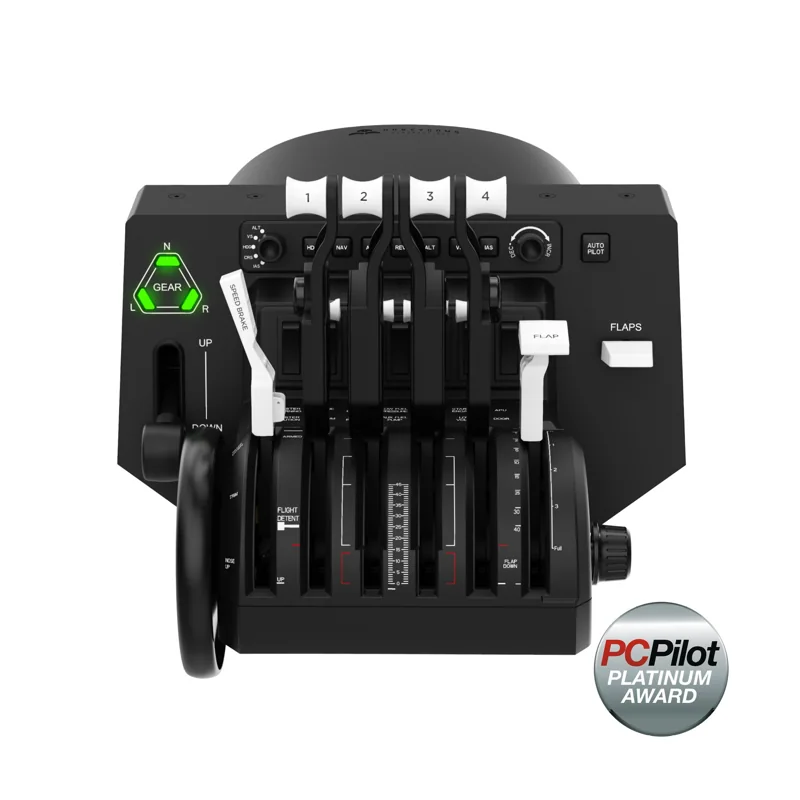
The Bravo is where this lineup earns its name. Its levers can be set up for a single-engine plane or a four-engine airliner. It also builds in an autopilot panel, a gear lever and a flap lever.
A 14-light warning panel and a trim wheel sit on the same unit. Together they cover most of what a real throttle quadrant does. You don't have to map those jobs to spare buttons on a stick.
#3. Honeycomb Charlie Rudder Pedals: best pedals to match the set
Keep in mind: Xbox needs the separate Honeycomb Xbox Hub, since Charlie does not connect to a console on its own.
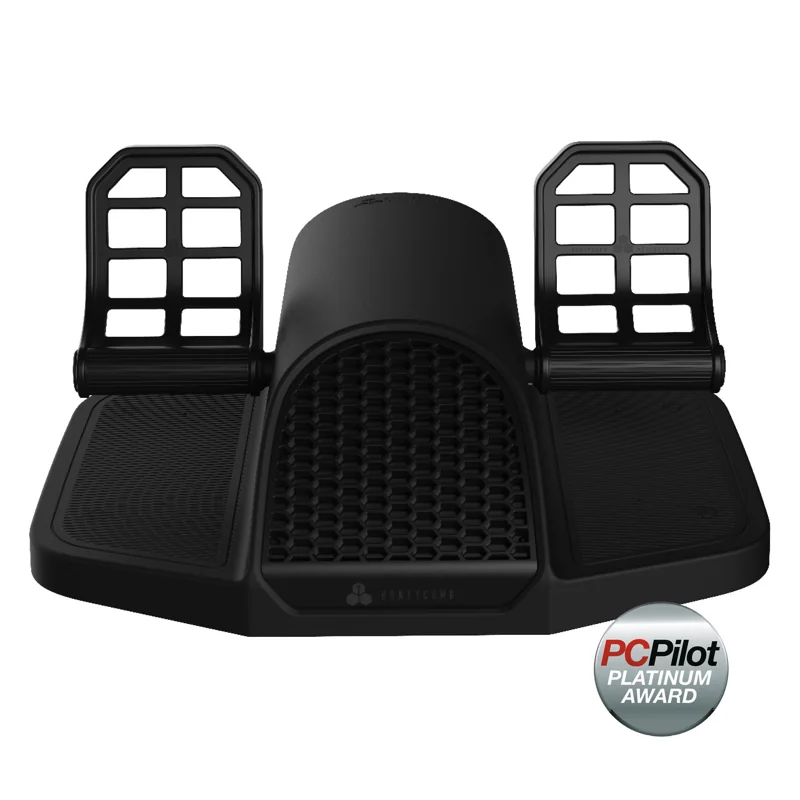
Charlie is Honeycomb's pedal set. It has an aluminum frame and a belt drive, not a simpler slide-rail design. Hall-effect sensors read the rudder and both toe brakes. Those sensors resist the wear that potentiometer pedals develop over the years.
You can adjust the foot angle. Grip strips and carpet spikes keep your feet and the pedals in place during hard rudder inputs. Charlie works on PC and Mac out of the box. Xbox needs the separate Honeycomb Xbox Hub adapter.
Factors to consider when choosing honeycomb flight sim gear
GA and airliner flying, not fighters
Every piece in this lineup is built around a yoke, not a center stick. That matches the hardware if you mostly fly small trainers or airliners in Microsoft Flight Simulator, X-Plane or Prepar3D. If you mostly fly fighters or warbirds, a HOTAS suits you better than any yoke setup. Our HOTAS guide covers that side.
Console compatibility takes extra hardware
Charlie is the only piece here with a stated Xbox path. Even then, it needs the separate Xbox Hub adapter rather than connecting on its own. If console support matters at all, check that the exact listing names Xbox before you buy. The standard PC gear in this lineup does not carry it over by default.
Buying order
Most simmers start with the Alpha yoke. It covers the main flight controls plus a basic switch panel in one unit. The Bravo is the natural second buy once you want real engine, flap and autopilot levers instead of mapped buttons. Charlie pedals come last, once you know you are keeping the rest and want rudder input to match.
Desk fit for the full set
Plan your desk before you buy all three. The Alpha clamps to the front edge of the desk and needs room behind it for the yoke to travel. The Bravo usually sits to the right of the yoke. Charlie needs clear floor space in front of your chair. Measure the desk edge and the floor under it first.
Building toward a full Honeycomb flight sim cockpit
Each piece in this lineup has its own job, and none replaces the others. The Alpha handles pitch and roll and basic switches. The Bravo handles the engines and aircraft systems.
Charlie handles the rudder and toe brakes. That is why simmers who buy one piece tend to add the other two, rather than mixing in a cheaper yoke or throttle from another brand. A full setup uses all three together.
Verdict: which Honeycomb flight sim controls to buy
For most simmers building a small-plane or airliner setup, a Honeycomb flight sim setup starts with the Alpha yoke. Add the Bravo throttle quadrant once you want real engine and autopilot controls. Add Charlie rudder pedals last. Skip this lineup if you fly fighters or combat sims, since none of these three pieces uses a center stick.
FAQ
Does Honeycomb flight sim gear work on Xbox?
Charlie Rudder Pedals connect to PC and Mac directly, but need the separate Honeycomb Xbox Hub to work on Xbox. Check any Xbox-specific listing before buying if console support matters to you.
Do I need all three Honeycomb pieces at once?
No. Most simmers start with the Alpha yoke, add the Bravo throttle quadrant once they want dedicated engine and autopilot levers, and add Charlie pedals last for rudder and toe-brake control.
Is Honeycomb built for fighters or airliners?
Airliners and general aviation. The Alpha is a yoke, not a center stick, and the Bravo's levers are built around throttle, flaps and thrust reversers for single-engine up to four-engine aircraft. A HOTAS with a center stick suits fighters better.
What's the difference between the Alpha and a HOTAS yoke like the TCA Yoke?
Both are wheel-style yokes, but Honeycomb's Alpha is PC-focused hardware built around a steel shaft and dual ball bearings, while Thrustmaster's TCA Yoke is officially licensed by Boeing and works on Xbox and PC. Compare them directly on our flight-sim-yoke roundup.