6 Logitech Flight Simulator Controls Compared in 2026
The short answer
Start a Logitech flight simulator setup with the Pro Flight Yoke System, add rudder pedals next, and layer in the switch, multi and radio panels once you want dedicated cockpit switches instead of mouse clicks. This whole lineup is Windows PC only.
Logitech flight simulator hardware is a Windows PC system built around small-plane flying. It has a yoke, rudder pedals, a throttle quadrant and three cockpit panels. The design carries over from Saitek's Pro Flight range, which Logitech took on when it bought that brand. Here is what each of the six pieces in this Logitech flight simulator lineup adds.
#1. Logitech G Pro Flight Yoke System: best starting piece for a Logitech setup
Keep in mind: it is Windows PC only, with no Xbox or console listing.
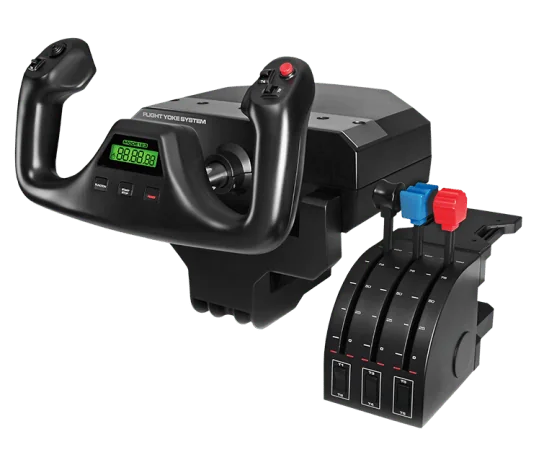
The Pro Flight Yoke System pairs a stainless steel yoke shaft with a three-lever throttle quadrant in one box. The yoke has 14 buttons, a POV hat and a 3-way mode switch. The mode switch cycles through profiles, for a stated 54 programmable controls across the two units. Two desk clamps come in the box.
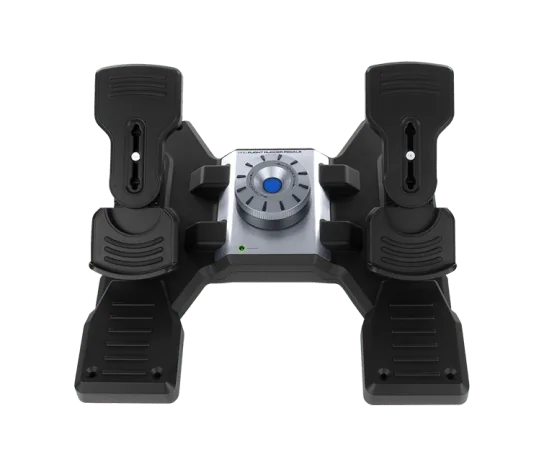
#2. Logitech G Pro Flight Rudder Pedals: best pedals to pair with the yoke
These pedals center themselves, and a dial sets the rudder tension. Split toe brakes let you brake the left and right wheels on their own. They connect to a Windows PC over USB. Logitech lists an optional software download. Our CH vs Logitech pedals page compares them with CH's set.
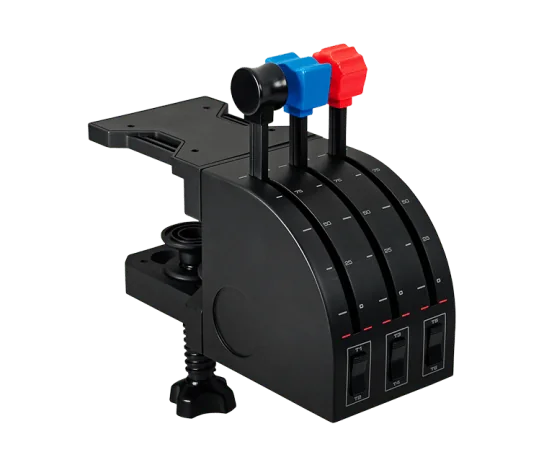
#3. Logitech G Pro Flight Throttle Quadrant: best standalone throttle in the lineup
Keep in mind: it only has three levers, fewer than a dedicated airliner-style quadrant.
This standalone quadrant gives you three levers with spare lever heads. You can set them up for throttle, flaps, mixture or prop pitch, based on the plane. Three two-way rocker switches add more control. It mounts on top of your desk or in front of it. A second quadrant is a common add-on for twin-engine planes, since each engine can then get its own levers.
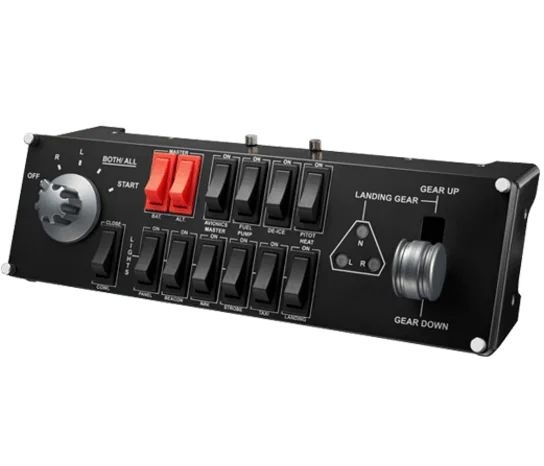
#4. Logitech G Pro Flight Switch Panel: best add-on for everyday cockpit switches
Keep in mind: its listing names FSX, Prepar3D and X-Plane, not the newer MSFS releases.
The Switch Panel adds a landing gear lever with status LEDs. It also adds engine-start and other cockpit switches that you would otherwise map to spare buttons. It stacks with Logitech's other flight panels or sits beside them. It works on Windows 7 or newer.
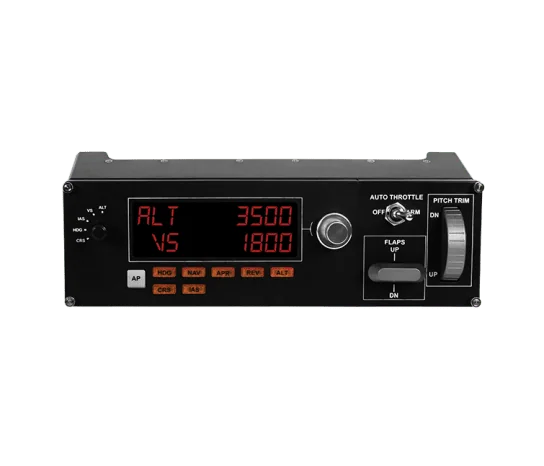
#5. Logitech G Pro Flight Multi Panel: best add-on for autopilot control
Keep in mind: its listing names FSX and older sims, not the newer MSFS releases.
The Multi Panel adds an autopilot panel with an LED readout and knobs to set values. It mounts right onto the Pro Flight Yoke System, or into your own cockpit build. It runs on Windows 7 or newer.
#6. Logitech G Pro Flight Radio Panel: best add-on for tuning frequencies
Keep in mind: its listing names FSX, X-Plane and Prepar3D, not the newer MSFS releases.
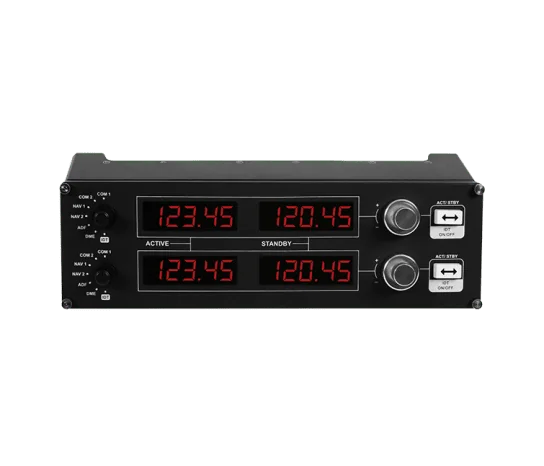
The Radio Panel uses twin stacked dials to tune frequencies. A switch swaps the standby and active frequency. LED screens follow the sim in real time. It works on Windows 7 through 11.
Factors to consider when choosing logitech flight simulator gear
Built to stack, not stand alone
Logitech designs this lineup to combine. The yoke, the throttle quadrant and the pedals sit side by side on and under a desk. The panels stack with each other or sit beside each other too. The Multi Panel mounts straight onto the yoke system. That makes Logitech a fair starting point if you plan to add pieces over time rather than buying everything at once.
The console limit is absolute
None of Logitech's current flight sim hardware works on Xbox. This whole lineup is Windows PC only. That covers the yoke, the pedals, the throttle quadrant and all three panels. If you need console support, look elsewhere before buying into this family. Our Xbox flight stick roundup covers licensed options.
Confirm sim support before buying panels
Logitech's own listings for its three panels name Flight Simulator X, Prepar3D and X-Plane. They don't state support for MSFS 2020 or 2024. If you fly one of the newer Microsoft sims, check that your setup works before you buy a panel.
Plan desk space and USB ports
A full Logitech setup is six devices. Each one needs a spot and a USB port. The yoke clamps to the front edge of the desk, and the panels usually sit above or beside it. Count your free ports before you add panels. A powered USB hub keeps devices from dropping out when the sim starts up.
Who this is for
This lineup suits PC simmers who fly small planes and airliners. They want a proven yoke setup at a fair price and don't need console support. If you fly fighters or combat sims instead, a center-stick HOTAS will suit you better than any yoke setup, Logitech's included.
Verdict: which Logitech flight simulator gear to buy
Start a Logitech flight simulator setup with the Pro Flight Yoke System, since it bundles a throttle quadrant with the yoke. Add rudder pedals next for real ground handling. Then add the switch, multi and radio panels once you want real cockpit switches and dials instead of mouse clicks. The lineup grows well one piece at a time.
FAQ
Does Logitech's flight sim gear work on Xbox?
No. Every piece in this lineup, the yoke, rudder pedals, throttle quadrant and the three cockpit panels, is Windows PC only. Look at hardware explicitly licensed for Xbox from other brands if console support matters to you.
Is Logitech flight sim gear the same as Saitek?
Yes, in practice. Logitech acquired Saitek, and the current yoke, rudder pedal, throttle and panel lineup carries over the Pro Flight design Saitek originally sold, now under the Logitech G name.
Can I stack the yoke, pedals, throttle and panels together?
Yes. Logitech's panels are built to stack with or sit beside each other, and the Multi Panel mounts directly onto the Pro Flight Yoke System or into your own cockpit build.
Do the panels work with Microsoft Flight Simulator 2020 or 2024?
Logitech's own listings name Flight Simulator X, Prepar3D and X-Plane for its panels. They do not state support for the newer MSFS 2020 or 2024 releases, so confirm compatibility for your specific sim before buying.