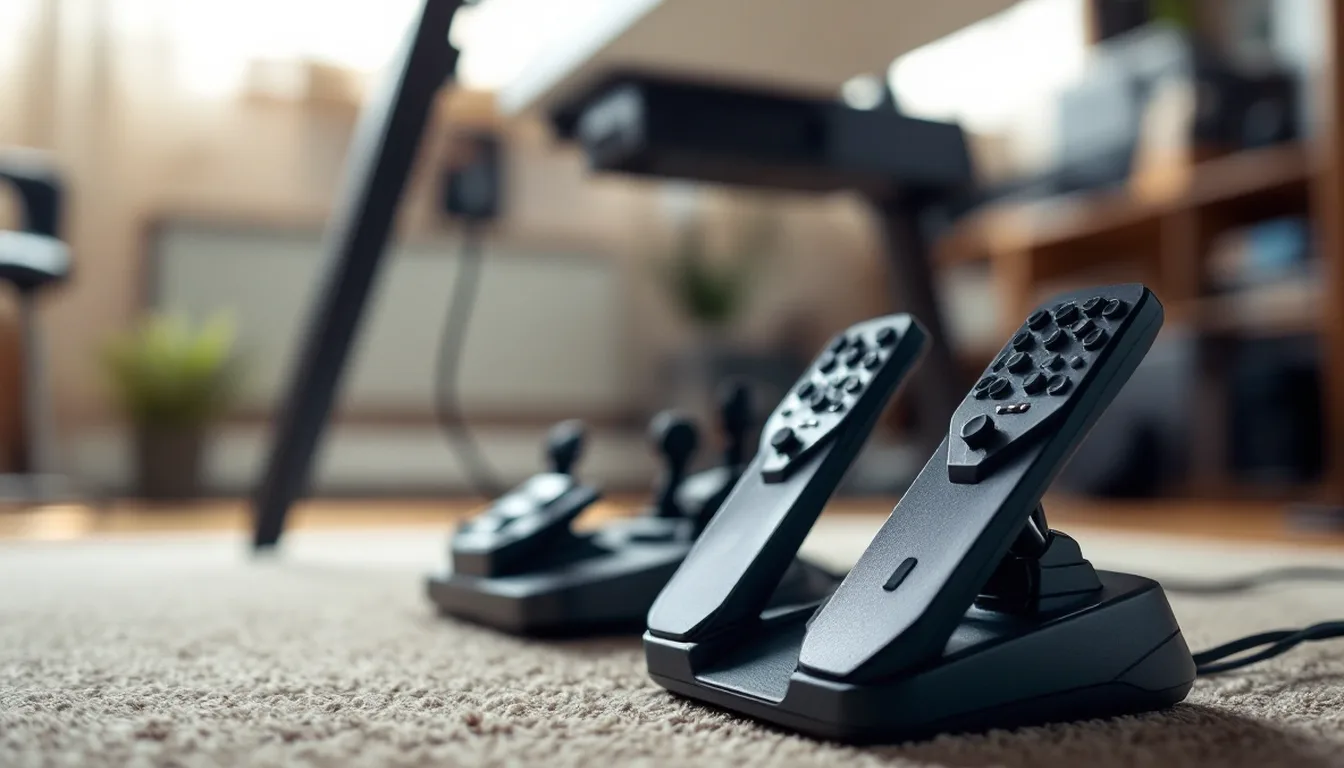
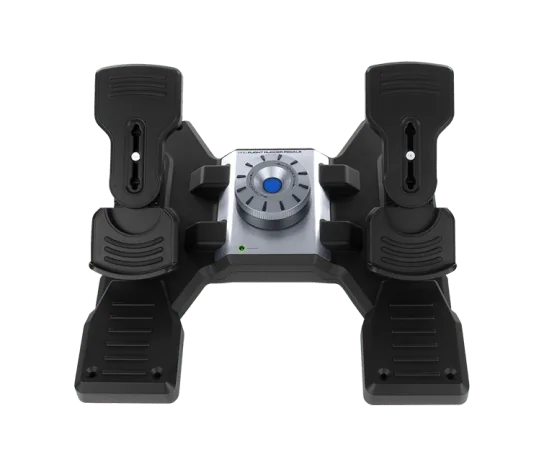
For a new purchase, the linked choice here is Logitech's Pro Flight Rudder Pedals, with a tension dial and separate toe brakes. Use the CH specifications below to compare a set you already own or to check a secondhand listing.
CH rudder pedals USB versus Logitech comes down to two different builds. CH Products' Pro Pedals USB is a simple pair that can also work as racing pedals. Logitech's Pro Flight Rudder Pedals are a bigger pair that you can adjust more, built around flight sims. Both have split toe brakes and plug in over USB. For a new purchase, the offer linked below is Logitech. The CH details help if you already own Pro Pedals or are weighing secondhand gear.
CH rudder pedals USB versus Logitech: what CH Products specs
CH Products' Pro Pedals USB work on three axes. Two of them read the left and right toe brakes on their own. The third is the rudder, which slides and centers itself. The pedals plug in with a 7-foot USB cable, and CH calls the setup easy. They work on PC and Mac, and CH backs them with a 2-year limited warranty.
CH's listing calls out one thing Logitech's does not. The same pedals can be used for driving games. So one unit can act as rudder and brakes for flying, then as gas and brake for racing. That matters if you already own CH pedals and also race on the same rig.
CH rudder pedals USB versus Logitech: what Logitech specs
Keep in mind: it is Windows PC only, and it's a larger, heavier unit than CH's set.
Logitech's pedals center themselves, and a tension dial sets how hard the rudder pushes back. They also have split toe brakes. Logitech's listing says the rudder axis runs at 9-bit resolution and the toe brakes at 7-bit, over USB 2.0. The unit measures about 31 by 41 by 17 cm and weighs about 2.3 kg. It runs on Windows PC, with an optional software download from Logitech.
The real trade-off
Logitech gives you a tension dial. Turn it to change how hard the rudder resists your feet. That helps if you fly light planes one day and heavy jets the next, since they call for a different feel.
Logitech also states a finer axis resolution. CH skips the dial and keeps the design simple. In return, the CH set can switch roles into racing pedals, which Logitech's flight-only design does not offer.
Neither maker's listing says either set works on an Xbox. Both are sold as PC gear. If you need pedals for an Xbox flight sim, look for gear labeled for Xbox. Don't assume either of these pairs will work with a console. Our rudder pedals roundup covers pedals that do.
Build and mounting differences
Logitech lists its pedals at about 2.3 kg. Once placed, they tend to stay put like a fixed part of the rig. Some simmers like that for hard rudder inputs. The catch is that they take more floor space and are less handy to pack away. CH's simpler design is easier to move between a desk setup and a cockpit footwell.
Software and setup
Both sets plug in over USB. Both act as standard USB rudder devices that a flight sim reads directly. Logitech lists Windows 7 through 10 and an optional software download.
CH lists PC and Mac. Neither maker names a list of supported sims on the listing. In practice, any sim that accepts third-party rudder pedals can read them.
Durability considerations
Neither maker's listing claims contactless sensors. Both sets use moving parts on their axes. So some wear over years of heavy use is normal for either brand. Neither listing states an expected service life. Plan for some wear on the axes as a normal trait of this type of pedal, not a flaw in one brand.
Toe brakes on both sets work the same way
Split toe brakes let you press the left and right toe pedals on their own. That way you can brake one wheel more than the other. It matters most in taxi turns, where uneven braking gives a tighter turn on the ground.
It also helps in crosswind landings. You may need to hold one brake a little to keep the plane straight as it rolls out. Neither listing describes a real difference in how the toe brakes work, so this feature is a tie.
Compatibility with other hardware
Both sets plug in as their own USB device next to your stick, yoke or HOTAS. Neither ties you to one brand's family of gear. So either set pairs fine with a Thrustmaster, Logitech or Honeycomb control. Your sim reads the pedals and your main control as separate inputs that you bind one at a time. If you are building a setup from scratch, choosing CH or Logitech pedals doesn't lock you into the same brand for your stick or yoke.
Weighing the feature differences
This comparison sticks to what each maker's own listing states. CH's pedals are the simpler unit, and they double for driving games. Logitech's pedals add a tension dial and a finer stated resolution. They are also a larger build aimed only at flight sims. Weigh those gaps against how you plan to use the pedals.
Choosing based on how you'll actually use them
If you already own CH pedals and use their racing mode, check how much you need that feature before changing sets. A new Logitech pair adds a tension dial for rudder feel, but its maker does not promise the same driving-game setup.
If you don't mind the bigger footprint, Logitech gives you that out of the box. Either way, you need a stick or yoke already. Our flight controller guide covers that first step.
Verdict: CH rudder pedals USB versus Logitech
In the CH rudder pedals USB versus Logitech choice, the new-purchase link here is for Logitech's Pro Flight Rudder Pedals. They suit a Windows PC setup that needs a tension dial and split toe brakes. Check floor space for the larger unit. Existing CH owners should weigh that gain against the driving-game mode they already use.
FAQ
Does this page recommend buying CH Products pedals?
This page keeps CH's specifications for owners and people checking secondhand gear. Its new-purchase link is for Logitech's Pro Flight Rudder Pedals. A maker specification page alone does not confirm a new retail offer.
Do both pedal sets have toe brakes?
Yes. Both use differential toe braking, meaning you can press the left and right toe pedals independently for separate left and right wheel braking, which matters for realistic taxi and crosswind landing rollout.
Which one is a better fit for flight simulation specifically?
Logitech's pedals are built and marketed specifically around flight-sim software, with a tension dial for rudder feel. CH Products doesn't market its pedals around one specific use, but its standard USB HID input works with flight sims that accept generic rudder axis input.
Can either set double as pedals for racing games?
CH Products calls this out directly: its listing says the pedals can be used for driving games. Logitech's pedals are built and marketed specifically for flight simulation rather than racing.