Skip the HOTAS for Cessna-style flying. A yoke like the Honeycomb Alpha or Logitech's Pro Flight Yoke System, paired with a GA throttle quadrant and rudder pedals, is the setup that actually matches how a real Cessna is flown.
A Cessna flight simulator setup should start with a yoke, not a HOTAS. Real Cessnas use a wheel-style yoke. That holds for the 172, the 152 and most other single-engine trainers. They also have a separate throttle and mixture control, and some models add a prop control. Matching that layout on your desk makes the sim feel closer to the real plane.
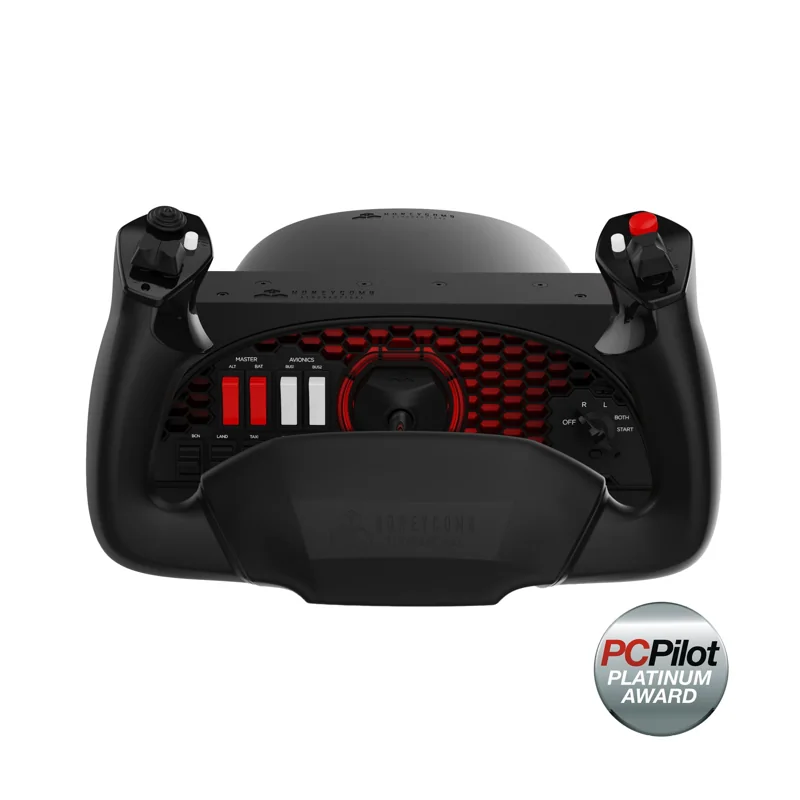
#1. Honeycomb Alpha Flight Controls: best yoke for a dedicated Cessna setup
Keep in mind: it is a yoke only, so a separate throttle and pedals are still needed.
The Alpha is built as a yoke from the ground up. It turns 180 degrees on a steel shaft that rides on two linear ball bearings. It centers itself, with no detent at center. A built-in switch panel adds a 5-way ignition switch and other cockpit-style switches. That covers basic engine-start controls without a separate panel.
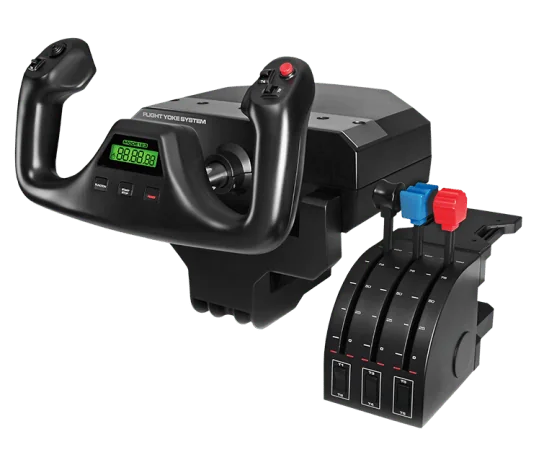
#2. Logitech G Pro Flight Yoke System: best budget yoke and throttle bundle
Keep in mind: it is Windows PC only, with no console listing.
Logitech's Pro Flight Yoke System pairs a stainless steel yoke shaft with a three-lever throttle quadrant in the same box. It has 14 buttons, a POV hat and a 3-way mode switch. With the throttle bundled in, this is a simpler first buy than a yoke and quadrant bought on their own.
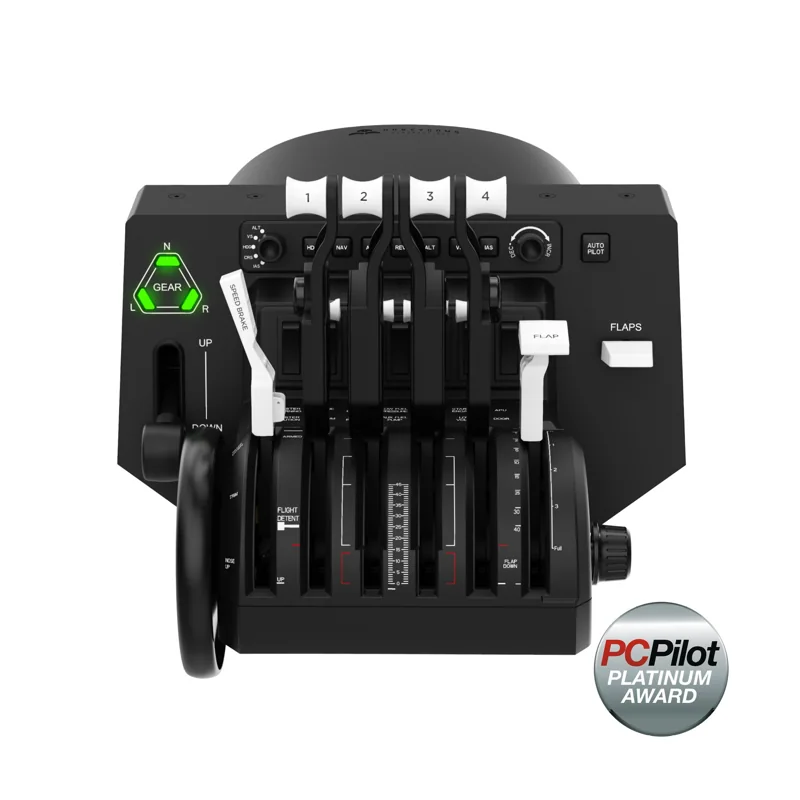
#3. Honeycomb Bravo Throttle Quadrant: best GA throttle for prop and mixture control
Keep in mind: it has no stick or yoke of its own, so it only makes sense once you already own one.
Real Cessnas don't fly with one combined power lever. The throttle and mixture are separate controls, and planes with a variable-pitch prop add a prop lever. The Bravo's levers can be set up for small-plane flying in exactly that way. It also has a trim wheel and an autopilot panel.
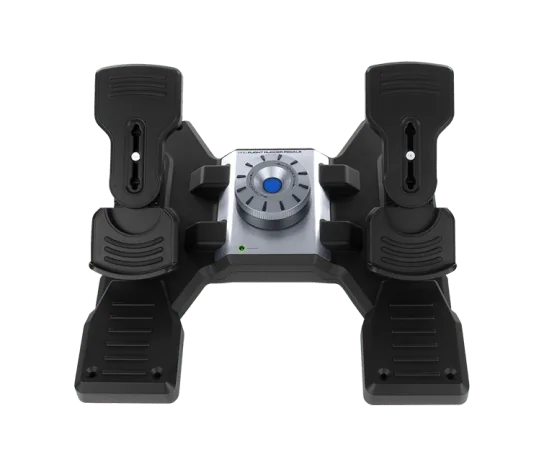
#4. Logitech G Pro Flight Rudder Pedals: best rudder pedals for ground handling
A Cessna's nosewheel isn't linked to the yoke. You steer it on the ground with the rudder pedals. So rudder input matters more here than for some other aircraft. Logitech's pedals center themselves, and a dial sets their tension. Split toe brakes let you brake the left and right wheels on their own during taxi and rollout.
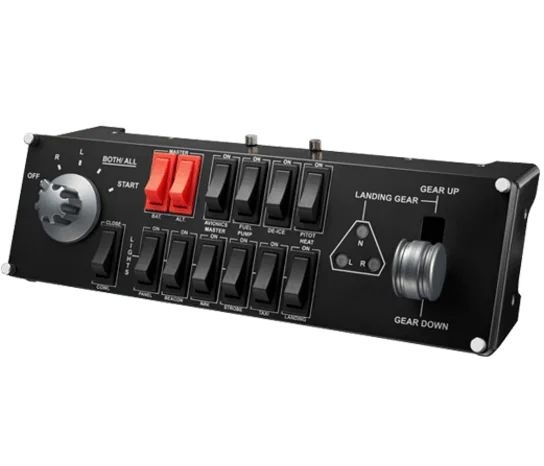
#5. Logitech G Pro Flight Switch Panel: best add-on for GA system switches
Keep in mind: its listing names FSX, Prepar3D and X-Plane, not the newer MSFS releases.
Once your yoke, throttle and pedals are set, a switch panel adds real system switches. You get the battery, the magnetos, the lights and the fuel pump on physical toggles, instead of spare yoke buttons. Its gear lever only matters on retractable models like the 172RG, but the rest fits almost any Cessna.
Factors to consider when choosing cessna flight simulator controls
Start with a yoke, not a center stick
A HOTAS is built around a fighter-style center stick. That doesn't match how a Cessna is flown. A yoke matches the real plane's wheel. Both the Honeycomb Alpha and Logitech's Pro Flight Yoke System do that job. Our flight sim yoke roundup compares more options.
Get the throttle quadrant right
Make sure your quadrant has small-plane levers for throttle and mixture, and a prop lever if you fly a plane that has one. Some quadrants only offer airliner-style thrust and flap levers. Those don't map well onto a Cessna.
Don't skip rudder pedals
Coordinated turns, crosswind landings and taxiing all depend on the rudder in a Cessna. The nosewheel isn't linked to the yoke, so twist-rudder on a stick or a yoke button is a poor stand-in. Our rudder pedals roundup covers more choices.
Buying order for a Cessna setup
Most simmers start with the yoke. It is the piece that most changes the feel of Cessna flying compared with a stick. A small-plane throttle quadrant is the natural second buy. Rudder pedals come third. Add a switch panel once the core three pieces are settled.
Check sim support for each piece
The yoke and quadrant here work as standard USB devices on PC, and so do the pedals. Logitech's panel listings name FSX, Prepar3D and X-Plane, not the newer MSFS releases. If you fly MSFS, check support for any panel before you buy it.
Who this is for
This page is for someone setting up for Cessna-style small-plane flying rather than fighters or airliners. It helps you pick the control layout that matches that kind of aircraft.
Verdict: which Cessna flight simulator controls to buy
Start with a yoke, either the Honeycomb Alpha or Logitech's bundled Pro Flight Yoke System. Add a small-plane throttle quadrant like the Honeycomb Bravo. Then add rudder pedals for ground handling. A switch panel is a useful add-on once the core three pieces are in place. Build a Cessna flight simulator setup in that order: yoke first, then the throttle, then pedals.
FAQ
Do I need a yoke to fly a Cessna in a simulator?
You don't strictly need one. A HOTAS or a basic joystick will fly a virtual Cessna. But a yoke matches how the real aircraft is controlled, with a wheel-style input instead of a center stick, so it feels closer to the real thing.
What's the difference between a general-aviation and commercial throttle quadrant?
A general-aviation quadrant, like the levers included with the Honeycomb Bravo, is built around throttle and mixture controls, plus prop pitch for planes that have it, which matches a single-engine Cessna. Commercial-style levers instead handle multi-engine throttles, flaps, and thrust reversers for airliner flying.
Are rudder pedals really necessary for Cessna-style flying?
They matter more here than for many other aircraft types. Small Cessnas need real rudder input for coordinated turns, crosswind landings, and taxiing, since the nosewheel isn't directly steered by the yoke.