Add a switch panel first for the controls you touch every flight. Then pick the Honeycomb Bravo for GA-to-airliner system controls, or an autopilot and radio panel pair.
Flight simulator peripherals are the gear beyond your main flight controls, such as a stick or a yoke. That means switch panels, autopilot panels, radio panels and GA throttle quadrants with system controls built in. They turn a basic desk setup into something closer to a real panel. Buy them once you know your main controller is the right one.
#1. Logitech G Pro Flight Switch Panel: best add-on for everyday cockpit switches
Keep in mind: its listing names FSX, Prepar3D and X-Plane, not the newer MSFS releases.
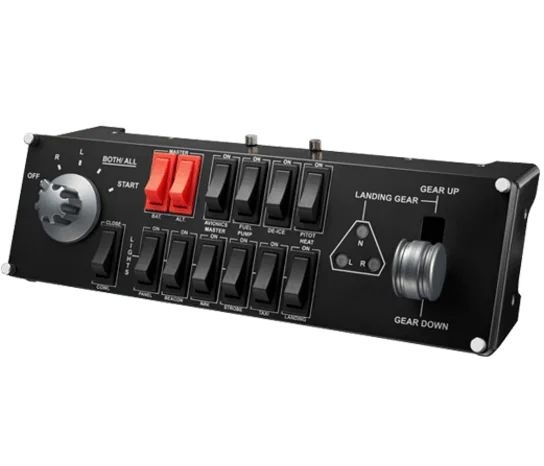
This panel is built around the switches most small planes share. Logitech's spec sheet lists a top row for the battery, the alternator, the avionics master, the fuel pump, de-ice and pitot heat. The bottom row has cowl, panel, beacon, nav and strobe lights, plus taxi and landing lights.
A gear lever sits beside them. A 5-way rotary switch runs the magnetos. It plugs in over USB 2.0, and LED lights show the state of each switch at a glance.
#2. Logitech G Pro Flight Multi Panel: best add-on for autopilot control
Keep in mind: its listing names FSX and older sims, not the newer MSFS releases.
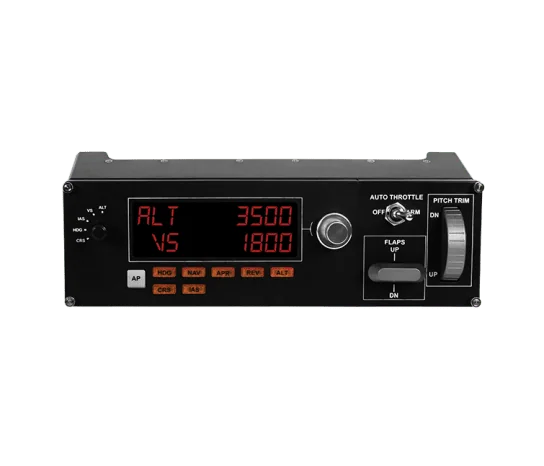
The Multi Panel gives you autopilot mode buttons, an LED readout and knobs to set values. It can mount on the Pro Flight Yoke System or into your own cockpit build. Logitech says it is made to speed up autopilot changes. You turn a knob instead of clicking through a menu in the sim.
#3. Logitech G Pro Flight Radio Panel: best add-on for tuning frequencies
Keep in mind: its listing names FSX, X-Plane and Prepar3D, not the newer MSFS releases.
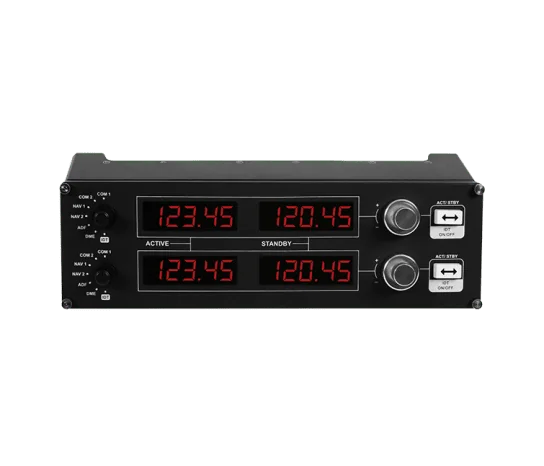
The Radio Panel has twin stacked dials for tuning. A switch swaps the standby and active frequency. LED screens follow the sim in real time, so what you see on the desk matches the plane.
#4. Honeycomb Bravo Throttle Quadrant: best all-in-one pick for GA-to-airliner system controls
Keep in mind: it does not include a stick or yoke of its own, so it only makes sense once you already own one.
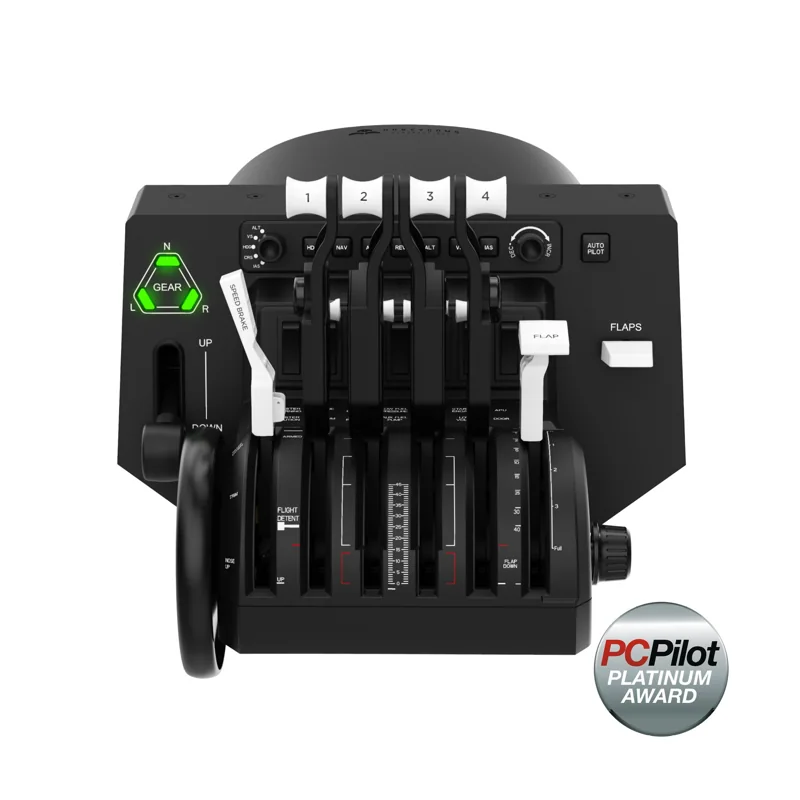
Some simmers get more from a throttle unit that already has system controls. The Bravo's levers can be set up for a single-engine plane or a four-engine airliner. It also has an autopilot panel, a gear lever and a flap lever. You get a 14-light warning panel and a trim wheel too. All of that sits in one unit next to the throttle levers.
Factors to consider when choosing flight simulator peripherals
Switch panels handle the controls you touch every flight
A GA switch panel like Logitech's covers what almost every small plane shares. That means the battery and alternator switches, the avionics master, the fuel pump, the lights and the gear. You use those on nearly every flight. So it makes a good first buy, no matter which plane you fly most.
Autopilot and radio panels speed up changes in flight
An autopilot panel saves you from menus each time you change a target for height or heading. The Multi Panel does this, and so does the autopilot section on the Bravo. A radio panel does the same job for frequencies. You turn a real dial instead of clicking a screen with a mouse.
Airliner autopilot panels are a separate step
Airliner fans sometimes add a panel copied from one jet's autopilot. GoFlight's GF-MCP Pro is one example. Its product literature says it is modeled on the Boeing 737NG panel, with knobs for heading and altitude, plus speed and course.
We don't carry a product box for it, since it sits outside our current lineup. It is still good to know the type exists. Look at it if the Multi Panel feels too general for the jet you fly.
GPS and nav bezels fit one plane, not all
A GPS bezel copies a real unit, such as the Garmin GNS 530. RealSimGear makes a GNS530 replica of that kind. We could not confirm a current listing for it, so we name it only as an example.
A bezel like this makes sense only if your plane has that exact unit. It is a narrow, plane-specific buy. Research it on its own rather than on our word.
Check sim support before buying Logitech's panels
Logitech's listings for all three panels name Flight Simulator X, Prepar3D and X-Plane. None of them state support for MSFS 2020 or 2024. If you fly one of the newer Microsoft sims, check that your setup works before you buy.
Setup and button mapping
Logitech's panels plug in over USB. For basic use, you bind them in your sim's own controls menu. Logitech's software can also assign a sim function to each switch and dial. Either way, expect some setup time.
A magneto switch or a radio dial does nothing until you bind it to the right function. Default bindings rarely line up with a new panel on their own. The Bravo's warning lights and autopilot buttons need the same care before they show the real state of the plane.
Panels don't replace your main flight controls
It helps to be clear about what a panel is not. None of these four fly the plane. A switch panel, an autopilot panel, a radio panel and the Bravo's system controls all sit next to your main controls.
If you haven't chosen your main control yet, do that first. Our flight controller guide and our flight sticks list are good places to start. The add-ons on this page make more sense after that choice.
Match the number of panels to how often you fly
If you fly a couple of times a month, a switch panel alone may be enough. The time you save on each flight adds up slowly at that pace. If you fly several times a week, the math changes. Long airliner flights mean lots of autopilot changes. A dedicated autopilot panel, or a throttle unit like the Bravo, pays off faster for you.
Monitor mounts and cockpit frames come later
Once you run a stick, a throttle, pedals and a panel or two, desk space gets tight. Cables get messy too. Sim monitor mounts attach an extra screen to a cockpit frame or a stand. That keeps a heavy screen steady while you fly. An office clamp can let it drift.
Treat this as a later buy. A frame is built around the gear you already own. If you swap your throttle or add pedals, you may need to move everything again. Buying the frame before your main controls and panels are settled is a costly mistake.
More panels mean more USB devices
Each panel here plugs in as its own device. A switch panel, a multi panel and a radio panel add three more plugs. Speed is rarely the issue, since panels send small, rare signals.
Power and cables are the issue once you run five or six devices from one PC. A powered USB hub is the safer choice. With an unpowered hub, devices can drop out when the sim starts and checks every one at once.
Buy for the way you really fly
If you fly GA trainers, Logitech's switch panel covers most of what a small cockpit asks of you. Add a GPS bezel later if your plane has one. If you fly airliners, you'll get more from autopilot controls. The Multi Panel or the Bravo's autopilot section fits that style. Airliner flying leans hard on autopilot changes, and a GA switch panel covers none of them.
If you fly both, you may need a panel for each. A GA panel's magneto and fuel pump switches don't map onto a jet. An airliner's mode knobs don't map onto a Cessna. Buy the panel that matches your plane, not the one with the most features. A panel full of switches for a plane you never fly just sits on the desk.
How peripherals fit into a full setup
A simple order works well. Buy a switch panel first, since you use it on almost every flight. Next, add an autopilot or radio panel once you know the kind of flying you do most. Mounts and frames come last, after you know which gear you will keep.
Verdict: which flight simulator peripherals to buy
For most people, the first of the flight simulator peripherals to buy is Logitech's Switch Panel. It covers the controls you touch on nearly every flight. Next, pick a path.
The Multi Panel and Radio Panel pair gives you autopilot and radio dials. The Honeycomb Bravo gives you throttle levers and system controls in one unit. Save a GPS bezel or a jet autopilot panel until you know which plane you fly most.
FAQ
What's the difference between a panel and a peripheral?
In practice they overlap. Peripheral is the broader term for anything beyond your core stick, yoke, or throttle. Switch panels, radio panels, autopilot panels, and GA throttle quadrants with built-in system controls all count as peripherals.
Do I need a GPS or nav bezel add-on?
Only if you fly GA aircraft with a Garmin-style navigation stack and want physical knobs instead of clicking the in-sim GPS with a mouse. We were unable to confirm a verifiable current GPS-bezel listing, so we are not recommending one by name here; treat any GPS bezel purchase as a specialized, aircraft-specific add-on rather than a default buy.
Are switch panels aircraft-specific?
Somewhat. A GA-style switch panel like Logitech's Pro Flight Switch Panel maps well onto single-engine aircraft controls, including magnetos, fuel pump and avionics master. An airliner-style autopilot panel is built around a jet's mode-control layout instead.
What peripheral should I buy first?
A general switch panel, since it speeds up the controls you touch on almost every flight, fuel pump, lights, avionics master, regardless of what aircraft you fly.