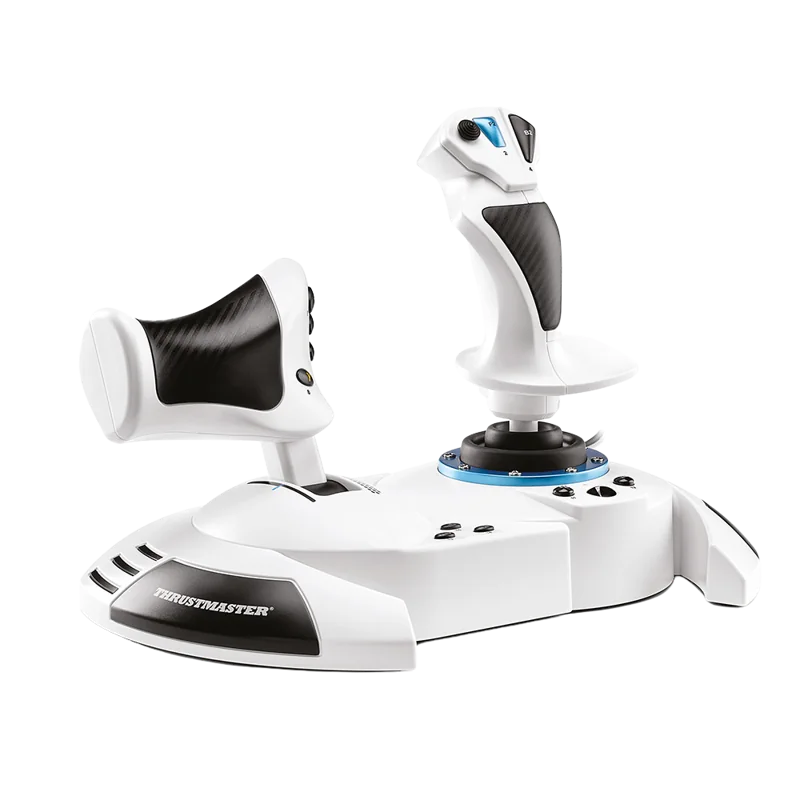
The Thrustmaster T.Flight HOTAS One is the best all-around licensed Xbox flight stick, the Turtle Beach VelocityOne Flightstick suits pilots who want more buttons and a built-in display, the VelocityOne HOTAS suits pilots who want dual throttle levers, and the Full Kit X is the pick if you want pedals included.
Only a handful of flight sticks carry an official Designed for Xbox license today. An Xbox Series X|S accepts only controllers that Microsoft has certified. That is a hardware and firmware rule, and no driver or adapter can work around it. Here are four current Xbox flight stick options, all officially licensed.
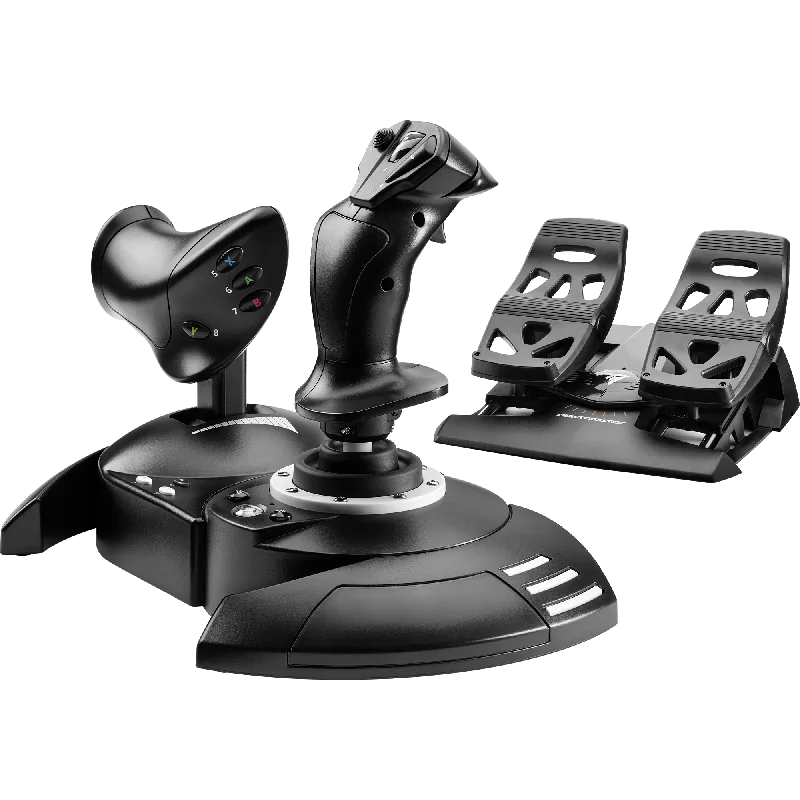
#1. Thrustmaster T.Flight HOTAS One (MSFS Edition): best all-around licensed Xbox flight stick
Keep in mind: adding rudder pedals means buying the Thrustmaster TFRP separately.
This stick is officially licensed for Microsoft Flight Simulator on Xbox Series X|S and PC. It has 5 axes, 14 buttons and a rapid-fire trigger. The throttle detaches, so you can use it on a desk or on your lap. It is one of the most established picks in this group, and a safe first Xbox stick. Our T.Flight HOTAS One review goes deeper.
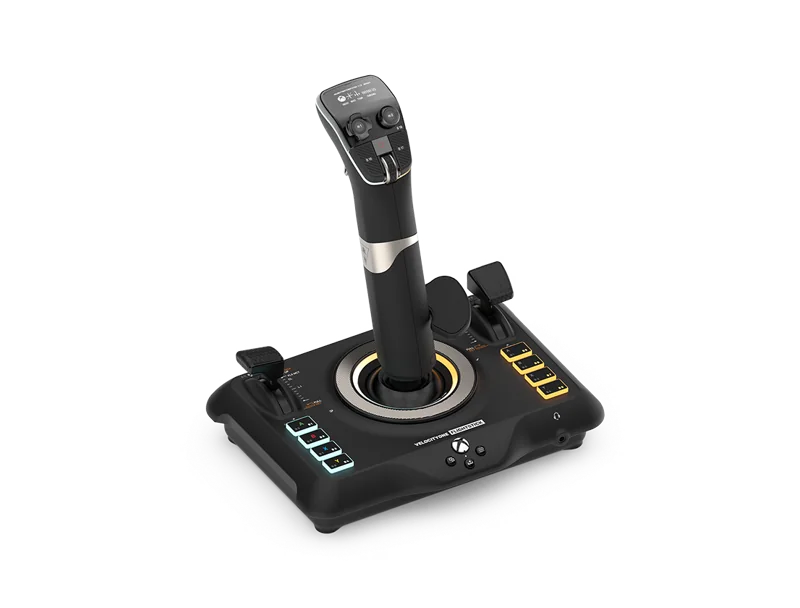
#2. Turtle Beach VelocityOne Flightstick: best Xbox flight stick with a built-in display
Keep in mind: it is a single stick rather than a two-piece stick-and-throttle system.
This stick has 27 buttons, 8 axes and a POV hat. Throttle and flap levers are built into its base. A small OLED screen lets you check your control profile without leaving your seat. It works on Xbox Series X|S, Xbox One and PC.
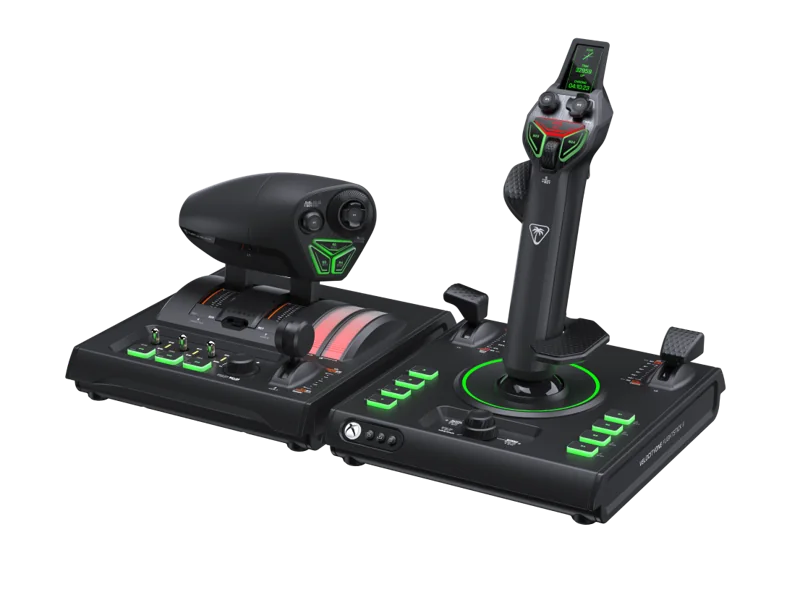
#3. Turtle Beach VelocityOne HOTAS: best Xbox HOTAS with dual throttle levers
Keep in mind: it is a larger two-piece system that takes up more desk space than a single stick.
This set is Turtle Beach's Flightstick II paired with a dual throttle unit. Together they offer 73 inputs you can program, across 15 axes, with 16-bit Hall-effect sensors. You can swap the throttle detents and adjust the tension. The whole system works on Xbox and PC.
#4. Thrustmaster T.Flight Full Kit X: best Xbox flight stick kit with pedals included
Keep in mind: the pedals run on slide rails rather than a full pendular or belt-drive mechanism.
The Full Kit X puts a stick, a detachable throttle and rudder pedals in one box. The pedals add 3 axes and move on slide rails. Everything is plug and play, with functions set up out of the box. It works on Xbox Series X|S, Xbox One and PC.
Factors to consider when choosing an Xbox flight stick
Why this list stays short
Xbox's certification rule filters out most flight sim hardware on the market. That is why licensed options come from only a handful of makers. If a product doesn't say Designed for Xbox, or name Xbox Series X|S on its listing, treat it as PC only until proven otherwise.
Thrustmaster's HOTAS Warthog and Logitech's X56 fall into that group. So do most classic PC sticks. They will not connect to a Series X|S, no matter how strong the spec sheet looks.
Choosing between a single stick and a two-piece system
A single unit like the VelocityOne Flightstick saves desk space and keeps setup simple. The throttle and flap controls sit on the same base as the stick. A two-piece system like the T.Flight HOTAS One or the VelocityOne HOTAS splits the stick and throttle apart. That better matches a real fighter cockpit, and you can place each piece where it feels comfortable.
The Full Kit X adds a third piece: rudder pedals. It suits pilots who want ground steering and crosswind control without buying pedals later.
Confirming the license before you buy
No adapter or workaround gets past Xbox's certification. The console checks each accessory itself, so the plug doesn't matter. One product family can also include licensed and unlicensed versions with very similar names. Confirm the Designed for Xbox label, or the words Xbox Series X|S, on the exact listing you buy. Don't rely on the product line in general.
Setting up a new Xbox flight stick
Once connected, an Xbox flight stick is recognized on its own, with no pairing app needed. You map buttons and axes inside each game's control settings, not in maker software. That is different from the PC side. Before your first real flight, test every button and axis in the game's control screen if it has one. A stick can be recognized and still have an axis flipped or a button unassigned out of the box.
Adding pedals later
If you buy a stick without pedals, you can add them later. Pick pedals whose listing names Xbox, such as Thrustmaster's TFRP. Our rudder pedals roundup lists which pedals work on Xbox. Pedals help most with taxiing, crosswind landings and slow flight.
Verdict: the best Xbox flight stick to buy
For most Xbox pilots, the Thrustmaster T.Flight HOTAS One is the best all-around Xbox flight stick. It is an established, officially licensed unit with a detachable throttle. Choose the Turtle Beach VelocityOne Flightstick for more buttons and a built-in screen on one stick. Pick the VelocityOne HOTAS for separate twin throttle levers, and the Full Kit X if you want pedals from the start. Match the Xbox flight stick to how much gear you want on your desk.
FAQ
Can I use my PC HOTAS on Xbox with an adapter?
No adapter gets around Xbox's licensing requirement. The certification is built into the console's accessory authentication, not just the connector, so PC-only sticks stay PC-only regardless of adapters.
Which Xbox flight stick has the most buttons?
Among the options on this page, the Turtle Beach VelocityOne HOTAS has the highest input count, with 73 programmable inputs across 15 axes.
Do these Xbox flight sticks also work on PC?
Yes. All four picks on this page list PC compatibility alongside their Xbox licensing.
What is the difference between the VelocityOne Flightstick and the VelocityOne HOTAS?
The Flightstick is a single-unit stick with throttle and flap levers built into its base. The VelocityOne HOTAS is a two-piece system with a separate dual throttle unit, aimed at pilots who want physically separate stick and throttle controls.